



Managing daily tasks has become more challenging as professionals juggle multiple projects, meetings, deadlines, and communication channels. Traditional to-do lists are no longer enough for many individuals and teams.
AI task managers are transforming productivity by helping users prioritize work, schedule tasks intelligently, automate repetitive actions, and stay focused on what matters most.
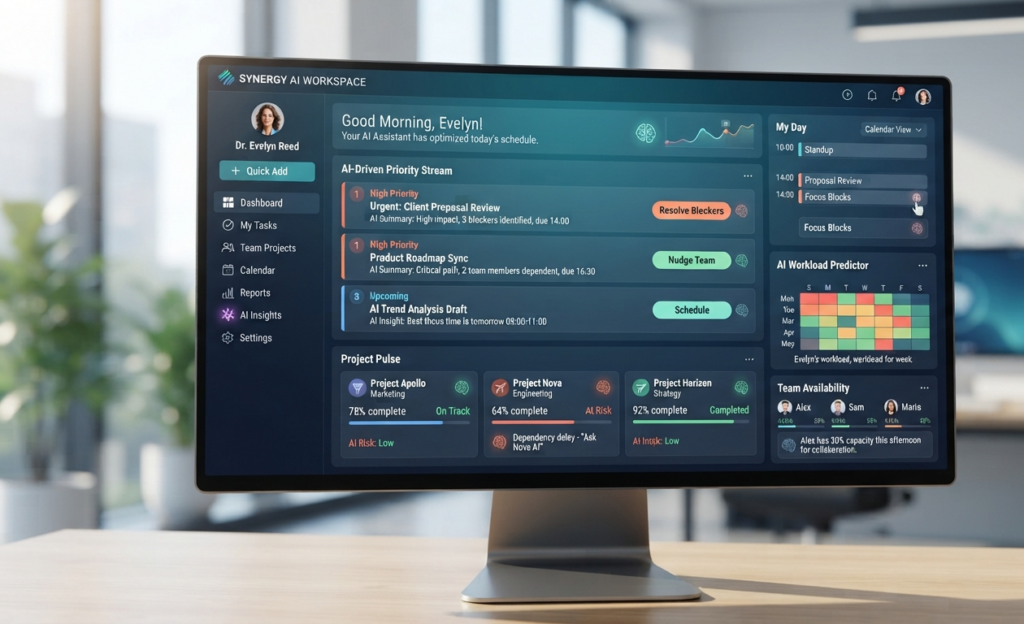
Instead of manually organizing every task, modern AI-powered applications analyze workloads, deadlines, and calendar events to recommend the best way to structure your day.
Whether you’re a freelancer managing clients, a business owner coordinating teams, or a student balancing assignments, choosing the right AI task manager can save time and improve productivity.
In this guide, we compare the best AI task managers in 2026, examining their AI capabilities, pricing, integrations, strengths, and ideal use cases.
What Are AI Task Managers?
AI task managers are productivity applications that use artificial intelligence to help users organize, prioritize, schedule, and complete tasks more efficiently.
Unlike traditional task management apps, AI-powered solutions can automatically:
- Prioritize tasks
- Suggest deadlines
- Build daily schedules
- Analyze workloads
- Recommend focus time
- Generate reminders
- Automate recurring tasks
- Summarize progress
Many modern AI task managers also integrate with calendars, email, project management software, and collaboration platforms to centralize work in one place.
How AI Task Managers Work
AI task management platforms combine several technologies to improve productivity.
These typically include:
- Large Language Models (LLMs)
- Machine Learning
- Natural Language Processing (NLP)
- Predictive Analytics
- Workflow Automation
A typical AI task management workflow looks like this:
Tasks Created

↓

AI Prioritizes Tasks

↓

Calendar & Deadline Analysis

↓

Automatic Scheduling

↓

Focus Time Recommendations

↓

Task Completion Tracking

↓

Continuous Optimization
As users complete tasks and adjust priorities, the AI learns work patterns and refines future recommendations.
Why Use AI Task Managers?
1. Better Task Prioritization
One of the biggest productivity challenges is deciding what to work on first.
AI task managers analyze:
- Deadlines
- Workload
- Task importance
- Calendar availability
to recommend the most important tasks at the right time.
2. Smarter Scheduling
Many AI task managers automatically organize daily schedules.
Instead of manually moving tasks around, AI can:
- Find available time slots
- Balance workloads
- Reschedule unfinished work
- Protect focus time
This helps reduce planning time while improving consistency.
3. Reduced Administrative Work
AI automates many repetitive activities, including:
- Creating recurring tasks
- Sending reminders
- Updating task status
- Organizing projects
- Summarizing completed work
These automations allow users to spend more time on meaningful work.
4. Improved Focus and Productivity
Many AI task managers help reduce distractions by recommending when to:
- Focus on deep work
- Complete high-priority tasks
- Take breaks
- Review unfinished work
This creates a more structured and productive workflow.
How We Selected the Best AI Task Managers
Every platform in this guide was evaluated using consistent criteria.
AI Features
We reviewed:
- Smart prioritization
- Automatic scheduling
- AI assistants
- Workflow automation
- Task suggestions
- Productivity insights
Ease of Use
Each platform was evaluated based on:
- User interface
- Learning curve
- Mobile experience
- Customization options
Integrations
We examined integrations with popular productivity tools, including:
- Google Calendar
- Microsoft Outlook
- Slack
- Gmail
- Microsoft Teams
- Notion
- Project management software
- Cloud storage services
Pricing
Each tool was compared based on:
- Free plan availability
- Premium pricing
- Business plans
- Enterprise options
- Overall value
Official Product Verification
Every AI task manager included in this guide has been reviewed using:
- Official website
- Official documentation
- Product feature pages
- Pricing information
- Release notes
- Product updates
This ensures the comparison reflects the latest publicly available information.
Top 10 AI Task Managers Reviewed
1. Todoist
Best For: Personal productivity and simple task management
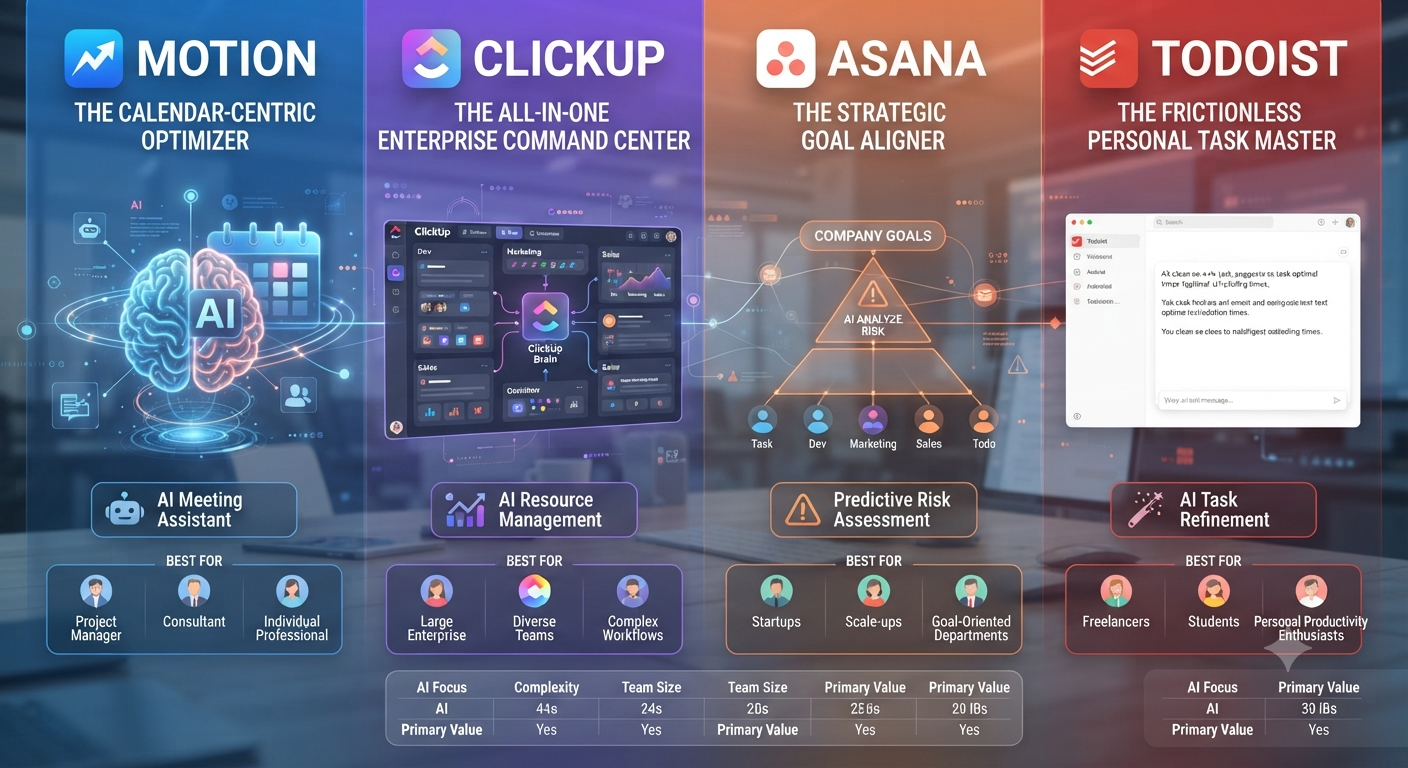
Todoist has evolved beyond a traditional to-do list by introducing AI-powered features that help users organize tasks more efficiently. Its AI Assistant can rewrite tasks, generate subtasks, suggest project structures, and improve task descriptions using natural language.
The platform is known for its clean interface and cross-platform support, making it suitable for individuals, students, and small teams.
Key AI Features
- AI Assistant
- Natural language task creation
- AI-generated subtasks
- Project organization suggestions
- Smart productivity recommendations
- Recurring task automation
Pros
- Easy to use
- Excellent mobile apps
- Fast performance
- Strong free plan
- Cross-platform synchronization
Cons
- Limited project management features
- Advanced AI requires a paid plan
Pricing
- Free Plan available
- Pro Plan
- Business Plan
2. Motion
Best For: AI scheduling and automatic task planning
Motion combines task management with intelligent calendar scheduling. Instead of simply storing tasks, Motion automatically builds your daily schedule based on deadlines, priorities, meetings, and available time.
It continually adjusts your calendar when priorities change, making it an excellent choice for busy professionals.
Key AI Features
- Automatic task scheduling
- AI calendar optimization
- Intelligent deadline management
- Dynamic rescheduling
- Focus time protection
- Daily planning assistant
Pros
- Outstanding scheduling automation
- Saves significant planning time
- Excellent for professionals
- Powerful AI engine
Cons
- No permanent free plan
- Higher pricing than many competitors
Pricing
- Free Trial
- Individual Plan
- Business Plan
3. ClickUp
Best For: Teams and growing businesses
ClickUp combines project management, documentation, collaboration, and AI productivity tools into one platform. ClickUp Brain helps users summarize projects, generate content, answer questions, and automate repetitive work.
Its flexibility makes it suitable for organizations of all sizes.
Key AI Features
- ClickUp Brain
- AI writing assistant
- Task summarization
- Workflow automation
- Smart project insights
- Knowledge management
Pros
- Feature-rich platform
- Excellent integrations
- Highly customizable
- Strong automation capabilities
Cons
- Steeper learning curve
- AI features require paid plans
Pricing
- Free Forever
- Unlimited
- Business
- Enterprise
4. Asana
Best For: Team collaboration
Asana AI focuses on helping teams coordinate work more effectively. It can summarize projects, recommend priorities, identify blockers, and automate routine project management tasks.
The platform is especially popular among marketing, operations, and creative teams.
Key AI Features
- Smart project summaries
- AI work recommendations
- Automated workflows
- Goal tracking
- Risk identification
- Intelligent reporting
Pros
- Excellent collaboration tools
- Enterprise-ready
- Powerful automation
- User-friendly interface
Cons
- AI capabilities vary by plan
- Can become expensive for larger teams
Pricing
- Personal
- Starter
- Advanced
- Enterprise
5. Microsoft To Do
Best For: Microsoft 365 users
Microsoft To Do integrates seamlessly with Outlook, Microsoft Teams, and the Microsoft 365 ecosystem. While it has fewer AI features than dedicated productivity platforms, it benefits from Microsoft’s expanding AI ecosystem through Copilot integration.
Key AI Features
- Microsoft Copilot integration
- Smart task suggestions
- Outlook synchronization
- Intelligent reminders
- Cross-device syncing
Pros
- Completely free
- Excellent Microsoft integration
- Simple interface
- Reliable synchronization
Cons
- Limited AI compared to competitors
- Fewer advanced productivity features
Pricing
- Free
6. TickTick
Best For: Personal organization
TickTick combines task management, calendar planning, habit tracking, and productivity tools into one application.
Its clean interface and productivity-focused design make it a favorite among individual users.
Key AI Features
- Smart reminders
- Intelligent scheduling
- Calendar integration
- Habit tracking
- Focus timer
Pros
- Affordable
- Great mobile experience
- Excellent organization features
- Flexible scheduling
Cons
- AI capabilities are less advanced than competitors
- Limited enterprise functionality
Pricing
- Free
- Premium
7. Sunsama
Best For: Daily planning
Sunsama emphasizes mindful productivity rather than maximizing task volume. It encourages realistic planning by helping users organize tasks from multiple platforms into manageable daily schedules.
Key AI Features
- Daily planning assistance
- Calendar synchronization
- Time blocking
- Productivity insights
- Workload balancing
Pros
- Beautiful interface
- Excellent focus tools
- Great for work-life balance
- Easy planning workflow
Cons
- Premium pricing
- Smaller integration ecosystem
Pricing
- Free Trial
- Subscription Plan
8. Akiflow
Best For: Busy professionals
Akiflow centralizes tasks from email, calendars, Slack, and productivity apps into a single workspace. AI-powered planning helps users manage large workloads without constantly switching between applications.
Key AI Features
- AI scheduling
- Unified task inbox
- Calendar optimization
- Smart reminders
- Workflow automation
Pros
- Excellent integrations
- Great for executives
- Saves time
- Powerful scheduling
Cons
- Premium pricing
- Learning curve for new users
Pricing
- Free Trial
- Premium Subscription
9. Notion AI
Best For: Knowledge management and documentation
Notion AI combines note-taking, documentation, databases, task management, and AI assistance into one workspace.
Teams use Notion AI to organize projects, generate content, summarize documents, and manage tasks collaboratively.
Key AI Features
- AI writing
- Document summaries
- Task generation
- Knowledge search
- Meeting notes
- Workflow assistance
Pros
- Extremely flexible
- Powerful AI assistant
- Excellent collaboration
- Rich templates
Cons
- Requires setup time
- Can become complex for beginners
Pricing
- Free
- Plus
- Business
- Enterprise
10. Trello
Best For: Visual task management
Trello uses Kanban boards to organize tasks visually. Through Atlassian Intelligence, the platform now includes AI-powered automation, summaries, and workflow improvements.
Its simplicity makes it ideal for small businesses and individual users.
Key AI Features
- Atlassian Intelligence
- Smart automation
- AI summaries
- Workflow suggestions
- Natural language assistance
Pros
- Very easy to learn
- Excellent Kanban interface
- Strong automation
- Large integration ecosystem
Cons
- Limited advanced reporting
- Complex projects may require additional tools
Pricing
- Free
- Standard
- Premium
- Enterprise

Comparison Table
| Tool | Best For | Free Plan | AI Scheduling | AI Writing | Team Collaboration |
|---|---|---|---|---|---|
| Todoist | Personal Productivity | ✅ | ⚠️ Limited | ✅ | ✅ |
| Motion | Scheduling | ❌ Trial | ✅ | ❌ | ✅ |
| ClickUp | Teams | ✅ | ✅ | ✅ | ✅ |
| Asana | Business Teams | ✅ | ⚠️ Partial | ✅ | ✅ |
| Microsoft To Do | Microsoft Users | ✅ | ⚠️ Basic | ❌ | ✅ |
| TickTick | Individuals | ✅ | ✅ | ❌ | ⚠️ |
| Sunsama | Daily Planning | ❌ Trial | ✅ | ❌ | ⚠️ |
| Akiflow | Professionals | ❌ Trial | ✅ | ❌ | ✅ |
| Notion AI | Documentation | ✅ | ⚠️ Limited | ✅ | ✅ |
| Trello | Visual Workflows | ✅ | ⚠️ Partial | ⚠️ Limited | ✅ |
How to Choose the Best AI Task Manager
Not every AI task manager is designed for the same type of user. The best choice depends on your workflow, team size, and productivity goals.
Before selecting a platform, consider the following factors.
1. Personal vs Team Productivity
If you’re managing personal tasks, choose a lightweight solution with an intuitive interface.
Recommended:
- Todoist
- TickTick
- Microsoft To Do
For team collaboration and business workflows, consider:
- ClickUp
- Asana
- Trello
- Notion AI
2. AI Scheduling Capabilities
Some platforms simply organize tasks, while others actively build your schedule.
If automatic calendar planning is important, look for:
- Motion
- Akiflow
- Sunsama
These tools automatically prioritize work based on deadlines, meetings, and workload.
3. Workflow Automation
Modern AI task managers should reduce repetitive work.
Look for features such as:
- Automatic task creation
- Recurring task management
- AI-generated reminders
- Workflow automation
- Smart notifications
4. Integration Ecosystem
The best productivity platform should work seamlessly with your existing tools.
Common integrations include:
- Google Calendar
- Outlook
- Gmail
- Slack
- Microsoft Teams
- Notion
- Zoom
- Google Drive
- Dropbox
- GitHub
5. Pricing
Before subscribing, compare:
- Free plan availability
- AI feature limitations
- Premium pricing
- Team plans
- Enterprise options
For individual users, a free plan may be sufficient. Growing businesses often benefit from paid plans that unlock advanced AI capabilities.
Best AI Task Managers by Use Case
| Use Case | Recommended Tool |
|---|---|
| Best Overall | ClickUp |
| Best for Personal Productivity | Todoist |
| Best for Automatic Scheduling | Motion |
| Best for Small Teams | Trello |
| Best for Enterprises | Asana |
| Best Microsoft Ecosystem | Microsoft To Do |
| Best Knowledge Workspace | Notion AI |
| Best Daily Planning | Sunsama |
| Best Calendar Optimization | Akiflow |
| Best Budget Option | TickTick |
Final Verdict
AI task managers have become essential productivity tools for professionals, students, freelancers, and businesses.
While every platform offers task organization, the best solutions go further by automatically prioritizing work, scheduling tasks, reducing manual effort, and helping users stay focused.
For most teams, ClickUp offers the strongest overall balance of AI features, collaboration, and scalability.
Individuals looking for simplicity may prefer Todoist or TickTick, while professionals who value intelligent scheduling should consider Motion or Akiflow.
Ultimately, the best AI task manager is the one that fits naturally into your workflow and helps you accomplish more with less effort.
Frequently Asked Questions (FAQ)
What is an AI task manager?
An AI task manager is a productivity application that uses artificial intelligence to prioritize tasks, automate scheduling, generate reminders, and improve workflow organization.
Which AI task manager is best in 2026?
Top options include ClickUp, Todoist, Motion, Asana, Notion AI, Trello, TickTick, Akiflow, Sunsama, and Microsoft To Do.
Are AI task managers free?
Many platforms offer free plans with core features. Advanced AI capabilities are usually available through premium subscriptions.
Can AI automatically organize my tasks?
Yes. Many AI task managers analyze deadlines, workloads, and calendar availability to prioritize tasks and build optimized daily schedules.
What’s the difference between an AI task manager and an AI project management tool?
AI task managers focus on organizing individual tasks and daily productivity, while AI project management tools support larger team projects, resource allocation, timelines, and collaboration.
INTERNAL LINKS
- Best AI Productivity Tools in 2026
- Best AI Project Management Tools in 2026
- Best AI Meeting Assistants in 2026
- Best AI Email Assistants in 2026
- Best AI Business Ideas in 2026
OFFICIAL SOURCES
- Todoist — https://todoist.com/
- Motion — https://www.usemotion.com/
- ClickUp — https://clickup.com/
- Asana — https://asana.com/
- Microsoft To Do — https://to-do.office.com/
- TickTick — https://ticktick.com/
- Sunsama — https://sunsama.com/
- Akiflow — https://akiflow.com/
- Notion AI — https://www.notion.so/product/ai
- Trello — https://trello.com/


