



Quick Answer
September 2026 update: the current MCP specification is 2026-07-28. It introduced a stateless protocol core, cacheable list results, a formal extensions framework, Tasks, Multi Round-Trip Requests and stronger authorization requirements including issuer validation. For production deployments, MCP should now be understood as both a tool/data interoperability protocol and an evolving security/governance surface—not simply a connector format.
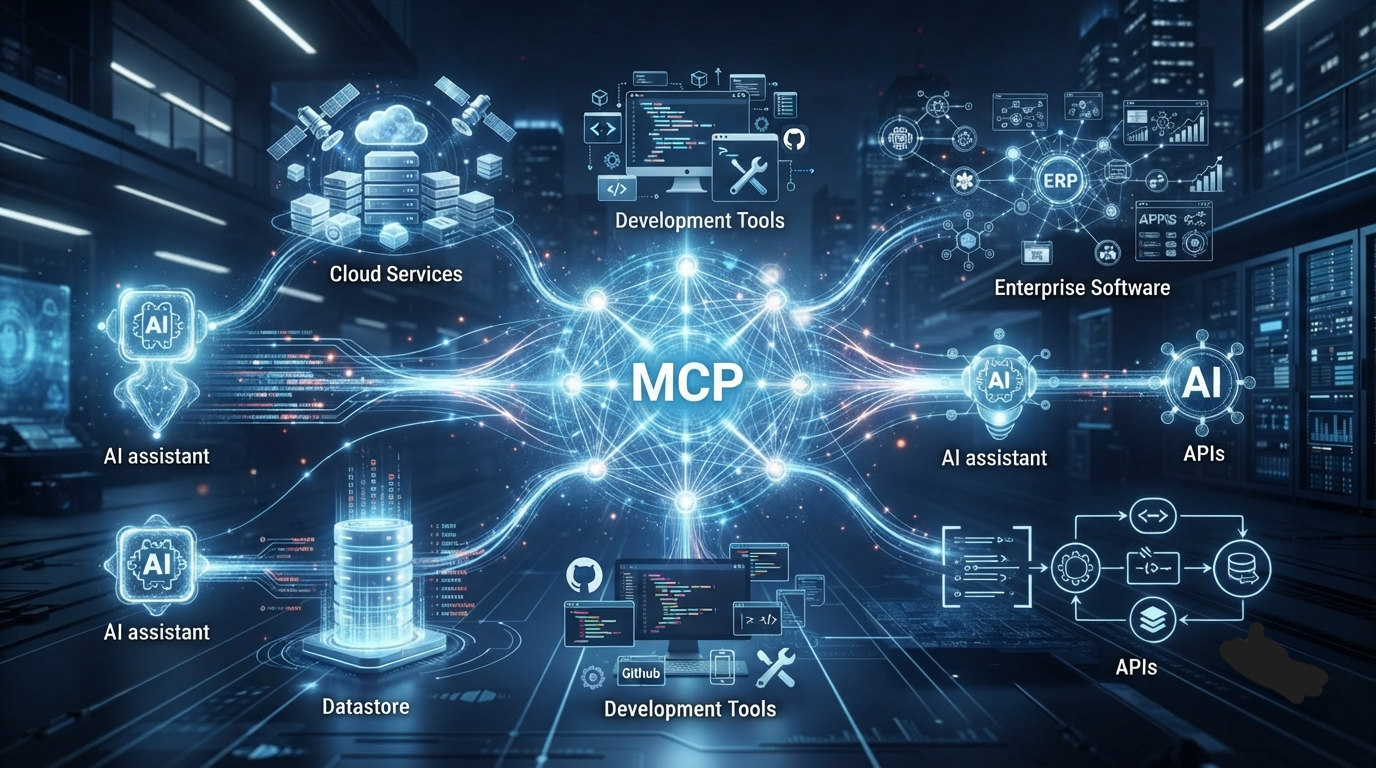
Model Context Protocol (MCP) is an open standard that enables AI models to securely communicate with external tools, applications, databases, APIs, and services through a standardized interface. Instead of creating a custom integration for every AI model and every software application, MCP provides a universal protocol that allows AI assistants to access real-world information, perform actions, and interact with digital systems consistently.
Think of MCP as “USB-C for AI applications.” Just as one cable can connect many devices, MCP allows one integration to work across many AI models and platforms.
In 2026, MCP has become one of the most important technologies powering AI agents, coding assistants, enterprise automation, and next-generation AI workflows.
Key Takeaways
- Model Context Protocol (MCP) is an open protocol for connecting AI models with external tools.
- MCP eliminates the need for custom integrations between every AI model and every application.
- The protocol follows a client-server architecture.
- MCP supports AI agents, coding assistants, databases, APIs, file systems, cloud services, and enterprise software.
- Developers can build one MCP server that works with multiple compatible AI clients.
- MCP is becoming a foundational technology for the future of agentic AI.
Table of Contents
- What Is Model Context Protocol?
- Why Was MCP Created?
- The Problem MCP Solves
- How MCP Works
- MCP Architecture Explained
- MCP Components
- MCP Clients vs MCP Servers
- A Real-World Example
- Why MCP Matters for AI Agents
- Enterprise Applications
- Security Considerations
- Future of MCP
- Frequently Asked Questions
- Final Verdict
What Is Model Context Protocol?
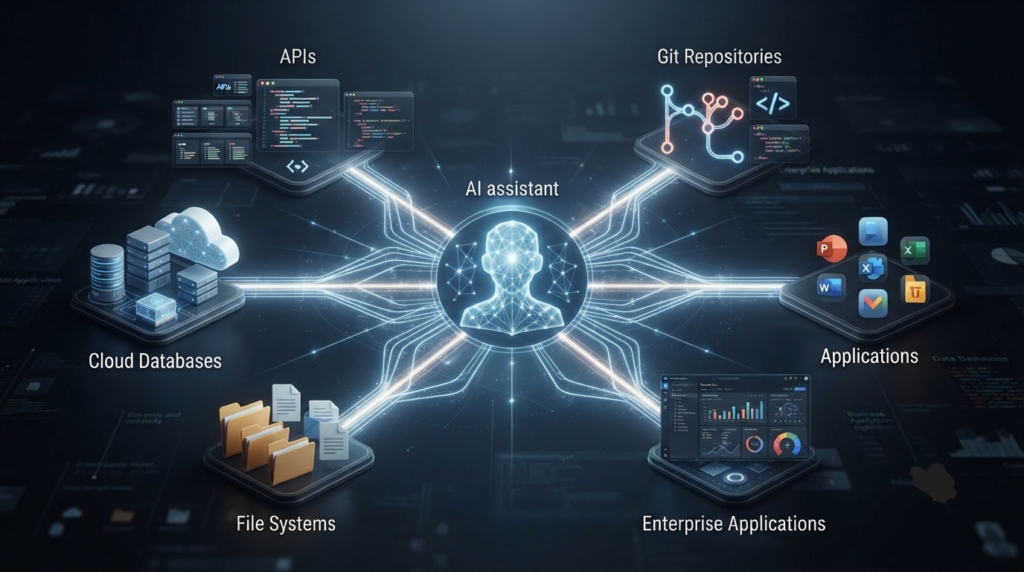
Model Context Protocol (MCP) is an open communication standard that enables artificial intelligence models to interact with external systems through a unified interface.
Before MCP, every AI application required its own custom integrations. If a company wanted ChatGPT, Claude, Gemini, and another AI assistant to access the same database, each integration had to be built separately.
This approach quickly became difficult to maintain.
Every API required different authentication.
Every application required different logic.
Every AI platform expected different formats.
As organizations adopted more AI systems, integration complexity increased dramatically.
MCP solves this challenge by introducing a common language that both AI models and software applications can understand.
Instead of building dozens of integrations, developers create one MCP server that exposes tools, resources, and actions using a standardized protocol.
Any compatible AI client can then communicate with that server without additional custom development.
Why Was MCP Created?
Large language models are incredibly capable at reasoning and generating text.
However, by themselves they cannot:
- Read your local files
- Access company databases
- Query internal documentation
- Control software
- Send emails
- Execute workflows
- Access business systems
- Retrieve live information securely
Without standardized connections, every AI product needed proprietary plugins or custom APIs.
This resulted in:
- duplicated engineering work
- inconsistent security
- difficult maintenance
- vendor lock-in
- limited interoperability
Model Context Protocol was created to solve these problems using an open, reusable architecture.
The Problem MCP Solves
Imagine a software company using:
- ChatGPT
- Claude
- Cursor
- GitHub Copilot
- Internal AI agents
Now imagine these AI systems all need access to:
- GitHub repositories
- Jira
- Slack
- Google Drive
- PostgreSQL
- Notion
- Internal documentation
Without MCP, every AI application would require separate integrations.
That could easily mean dozens of independent connectors.
Instead of:
ChatGPT → GitHub
Claude → GitHub
Cursor → GitHub
Copilot → GitHub
MCP allows:
All AI Clients
        │
        ▼
    MCP Server
        │
        ▼
GitHub / Slack / Database / APIs
One standardized integration can serve multiple AI applications.
This dramatically reduces development time while improving maintainability.
How MCP Works
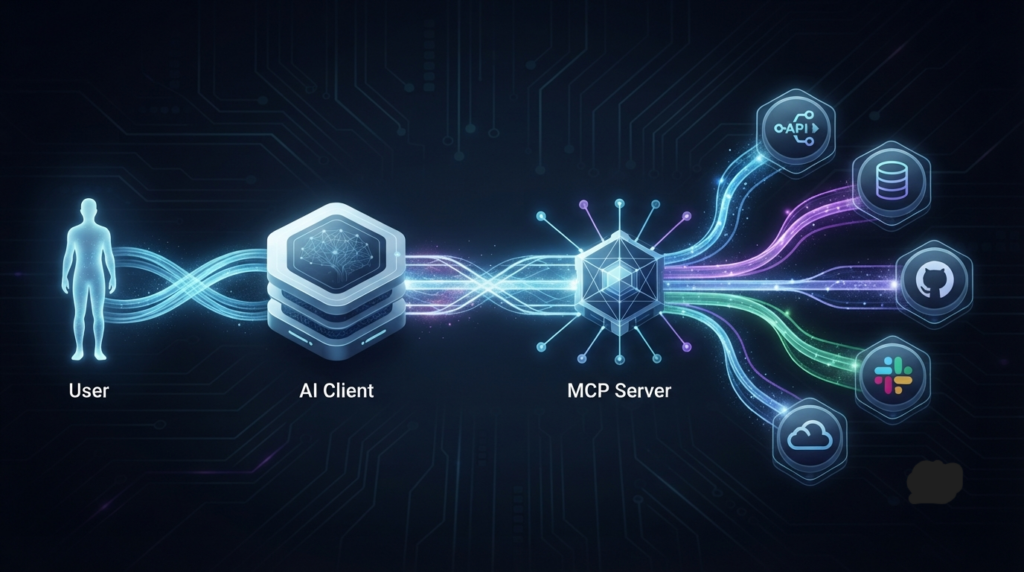
At its core, MCP follows a client-server architecture.
There are three primary participants:
- AI Client
- MCP Server
- External Tools
The workflow typically looks like this:
Step 1
The user asks an AI assistant to perform a task.
Example:
“Summarize yesterday’s sales report.”
Step 2
The AI determines it needs external information.
Instead of guessing, it checks which MCP tools are available.
Step 3
The AI sends a standardized request to an MCP server.
Step 4
The MCP server communicates with the external system.
Examples include:
- CRM software
- SQL database
- GitHub
- Google Drive
- Cloud storage
- Internal API
Step 5
The server returns structured information.
Step 6
The AI incorporates that information into its final response.
The user experiences a seamless interaction without needing to know which systems were involved behind the scenes.
MCP Architecture Explained
A useful way to understand MCP is to compare it to web browsing.
A browser does not store every website internally.
Instead, it communicates with servers using standardized protocols.
Similarly, an AI model using MCP does not permanently contain your company’s files or databases.
Instead, it requests information when needed through standardized communication.
This approach provides:
- Better scalability
- Stronger security
- Easier maintenance
- Greater flexibility
- Improved interoperability
Rather than embedding every capability inside the AI model itself, MCP allows capabilities to remain external while still being easily accessible.
Core MCP Components
Although implementations vary, most MCP environments include several common components.
MCP Client
The client is the AI application interacting with users.
Examples include:
- AI assistants
- Coding tools
- Enterprise copilots
- AI agents
- Chat interfaces
The client decides which tool it needs and sends standardized requests.
MCP Server
The server exposes tools and resources that AI applications can use.
These might include:
- APIs
- Databases
- File systems
- Business software
- Search engines
- Internal services
- Cloud infrastructure
The server handles authentication, permissions, and communication with external systems.
Resources
Resources represent information that AI models can access.
Examples include:
- documents
- spreadsheets
- PDFs
- SQL tables
- repositories
- knowledge bases
Tools
Tools allow AI models to perform actions.
Examples include:
- create a ticket
- send an email
- execute SQL
- generate reports
- deploy software
- analyze files
Unlike resources, tools perform operations rather than simply exposing data.
MCP Clients vs MCP Servers
One of the biggest misconceptions is that MCP itself is an AI model.
It is not.
Instead:
Clients consume capabilities.
Servers provide capabilities.
This distinction makes MCP highly modular.
One server can support many different AI applications simultaneously.
Similarly, one AI client can connect to multiple MCP servers depending on the user’s permissions and available infrastructure.
A Real-World Example
Imagine a product manager preparing for a weekly meeting.
They ask:
“Generate a project status report using the latest Jira tickets, GitHub commits, and sales dashboard.”
Without MCP, the AI assistant would likely lack direct access to these systems or require several custom integrations.
With MCP:
- The AI client recognizes it needs external data.
- It sends requests to the appropriate MCP servers.
- The servers securely retrieve information from Jira, GitHub, and the analytics platform.
- The AI combines the data into a single, coherent report.
From the user’s perspective, the process feels like a single conversation—even though multiple enterprise systems are working together behind the scenes.
Why MCP Matters in 2026
Artificial intelligence is rapidly moving beyond simple chatbots toward autonomous agents capable of planning, reasoning, and taking action.
To achieve this, AI systems must interact reliably with external tools rather than relying solely on the knowledge embedded in their training data.
MCP provides the standardized foundation for these interactions.
Whether the task involves retrieving documents, updating databases, managing software projects, or automating business workflows, MCP enables AI systems to communicate with external services in a consistent and scalable way.
As more developers and software vendors adopt the protocol, MCP is becoming a key building block for the next generation of intelligent applications.
MCP Servers
What Is an MCP Server?
An MCP server is the component that exposes tools, resources, and capabilities to AI applications using the Model Context Protocol.
Instead of connecting directly to dozens of APIs, databases, or cloud services, AI clients communicate with MCP servers through a standardized interface.
Think of an MCP server as a translator between AI models and external software.
Rather than every AI application learning how to communicate with every service individually, the MCP server handles authentication, permissions, API requests, and data formatting behind the scenes.
This greatly simplifies integration while improving consistency and maintainability.
What Can an MCP Server Connect To?
An MCP server can expose virtually any digital system, including:
- GitHub repositories
- GitLab projects
- Slack workspaces
- Notion databases
- Google Drive
- Microsoft 365
- PostgreSQL databases
- MySQL databases
- MongoDB
- AWS services
- Azure resources
- Google Cloud Platform
- Internal REST APIs
- CRM platforms
- ERP software
- Documentation systems
- File systems
- Vector databases
- AI tools
- Business intelligence dashboards
As long as the server can securely communicate with a system, it can present those capabilities to compatible AI clients.
MCP Clients
What Is an MCP Client?
An MCP client is the AI application that users interact with directly.
When a user asks a question or requests an action, the client determines whether external information or tools are required.
If necessary, it sends standardized requests to one or more MCP servers.
The client does not need to know how GitHub, Slack, PostgreSQL, or Google Drive work internally.
It only needs to understand the standardized MCP interface.
This separation makes AI applications significantly easier to build and maintain.
Examples of MCP Clients
Many modern AI-powered applications are adopting or experimenting with MCP-compatible architectures, including:
- AI chat assistants
- Coding assistants
- Enterprise copilots
- Customer support agents
- Research assistants
- Internal business assistants
- Workflow automation platforms
As the ecosystem grows, MCP is becoming a common language that allows different AI products to work with the same external tools.
Claude and MCP

Among major AI companies, Anthropic played a leading role in introducing and promoting the Model Context Protocol as an open standard for AI integrations.
Claude uses MCP to access external resources without embedding every integration directly into the language model itself.
For example, Claude can interact with:
- Local files
- GitHub repositories
- Company documentation
- Databases
- Development tools
- Cloud services
This modular architecture enables Claude to perform complex tasks while keeping integrations secure and maintainable.
Rather than relying on countless proprietary plugins, developers can build MCP-compatible servers that Claude can access through a standardized interface.
ChatGPT and MCP
Although ChatGPT supports various external tools, connectors, and integrations, the broader AI ecosystem is increasingly moving toward standardized communication protocols such as MCP.
For developers building AI applications, adopting open standards reduces engineering effort and makes it easier to support multiple AI platforms with a single integration layer.
As enterprise AI continues to evolve, interoperability is becoming just as important as model performance.
Organizations increasingly value solutions that allow different AI assistants to share access to the same secure infrastructure.
Cursor and MCP
Cursor has become one of the most popular AI-first code editors among software developers.
Its workflow naturally aligns with the goals of MCP because developers often need AI to interact with:
- Local codebases
- Git repositories
- Documentation
- Terminal commands
- Build systems
- Package managers
- Project files
Rather than implementing separate integrations for every tool, MCP provides a standardized mechanism for exposing development resources to AI assistants.
This creates a more consistent developer experience while simplifying future integrations.
GitHub Copilot and MCP
GitHub Copilot focuses primarily on AI-assisted coding inside development environments.
As software engineering workflows become increasingly agent-driven, standardized protocols such as MCP can help AI assistants interact with external systems beyond code completion.
Potential enterprise scenarios include:
- retrieving documentation
- querying issue trackers
- reading deployment logs
- accessing testing frameworks
- interacting with CI/CD pipelines
- communicating with project management software
A unified protocol reduces duplication across development tools.
MCP and AI Agents
One of the biggest reasons MCP has gained attention is its importance for AI agents.
Traditional chatbots mainly answer questions.
AI agents go much further.
They can:
- Plan tasks
- Use tools
- Make decisions
- Execute workflows
- Coordinate multiple systems
- Perform multi-step reasoning
To accomplish these tasks, agents require reliable communication with external services.
This is exactly where MCP becomes essential.
Instead of every AI agent learning a different API for every software platform, the agent communicates through standardized MCP interfaces.
This dramatically improves scalability.
Enterprise Use Cases

Large organizations are increasingly exploring MCP because enterprise environments often contain hundreds of interconnected software systems.
Some practical examples include:
Customer Support
AI assistants retrieve customer records, knowledge base articles, and previous conversations before responding.
Software Development
Coding assistants access repositories, issue trackers, documentation, deployment pipelines, and testing systems from a single workflow.
Finance
AI systems analyze financial reports, accounting databases, invoices, forecasting models, and ERP software.
Healthcare
Authorized AI assistants retrieve patient records, scheduling information, medical guidelines, and clinical documentation while respecting security policies.
Human Resources
AI copilots help employees search company policies, benefits documentation, training materials, and onboarding resources.
Sales
Sales assistants automatically combine CRM records, email history, analytics dashboards, and customer documentation into actionable insights.
Benefits of MCP
The rapid adoption of MCP is driven by several significant advantages.
Standardization
Developers build one integration instead of maintaining separate connectors for every AI platform.
Better Scalability
New AI clients can connect to existing MCP servers without major redevelopment.
Improved Security
Authentication, permissions, and auditing remain centralized within the server architecture.
Reduced Maintenance
Changes to external systems typically require updates only on the server side rather than across multiple AI applications.
Vendor Flexibility
Organizations are less dependent on a single AI provider because multiple compatible clients can share the same infrastructure.
Faster Development
Engineering teams spend less time writing integration code and more time building valuable AI experiences.
Limitations of MCP
Although MCP offers many benefits, it is not a complete solution for every challenge.
Organizations should also consider:
- Access control complexity
- Authentication management
- Network reliability
- API rate limits
- Enterprise governance
- Compliance requirements
- Performance optimization
- Monitoring and logging
Proper implementation remains essential for secure and reliable production environments.
Security Considerations
Because MCP enables AI systems to interact with external resources, security is one of its most important design considerations.
A well-designed MCP deployment should include:
- Strong authentication
- Role-based permissions
- Encryption in transit
- Secure credential storage
- Audit logging
- Request validation
- Rate limiting
- Principle of least privilege
- Continuous monitoring
Organizations should avoid exposing sensitive tools or confidential information unless appropriate authorization mechanisms are in place.
Security policies should be treated as a core part of every MCP deployment rather than an afterthought.
MCP Authorization Changes in 2026
The July 28, 2026 MCP specification strengthened authorization behavior. Clients must validate the authorization response issuer, client credentials are bound to the issuer that minted them, and Dynamic Client Registration (DCR) is formally deprecated in favor of Client ID Metadata Documents (CIMD). These changes reduce authorization-server mix-up risks and make client identity relationships more explicit. See the official MCP 2026-07-28 specification update.
For protected MCP resources, OAuth metadata can advertise authorization servers and supported scopes using RFC 9728 Protected Resource Metadata. In production, this should be paired with least-privilege scopes, short-lived credentials, audience validation, and explicit delegation. Vynula’s AI Agent Identity and Authentication guide explains how these controls fit together for autonomous agents.
Why Developers Are Excited About MCP
Developers have long struggled with fragmented integrations across AI platforms.
Each assistant traditionally required unique APIs, authentication methods, and custom engineering.
MCP changes that paradigm.
Instead of building integrations repeatedly, developers can focus on creating reusable capabilities that multiple AI clients can access through a common protocol.
This shift reduces technical debt, improves interoperability, and accelerates the development of AI-powered applications.
As AI agents become more autonomous and enterprise adoption continues to grow, standardized protocols like MCP are expected to play an increasingly important role in the software ecosystem.
The Future of MCP
Model Context Protocol is still in the early stages of adoption, but its long-term potential is significant.
Just as HTTP became the standard protocol for the web and USB standardized hardware connectivity, MCP aims to become the universal interface between AI models and external tools.
Over the next few years, the ecosystem is expected to expand in several key areas:
- More enterprise software vendors offering native MCP support
- Standardized AI agent workflows across platforms
- Improved security and permission management
- Richer tool discovery mechanisms
- Better interoperability between AI assistants
- Broader adoption in cloud services and developer tools
As organizations deploy multiple AI assistants simultaneously, the value of a shared integration standard will continue to grow.
Rather than maintaining separate connectors for every model, businesses will increasingly rely on MCP-compatible infrastructure.
MCP vs APIs vs Plugins
Many people confuse MCP with APIs or plugins, but they solve different problems.
| Feature | Traditional APIs | Plugins | MCP |
|---|---|---|---|
| Standard Interface | ❌ | ❌ | ✅ |
| AI Optimized | ❌ | Partially | ✅ |
| Works Across Multiple AI Models | ❌ | Usually No | ✅ |
| Tool Discovery | ❌ | Limited | ✅ |
| Reusable Architecture | Limited | Limited | ✅ |
| Enterprise Scalability | Medium | Medium | High |
Traditional APIs remain essential—they expose application functionality. Plugins package specific capabilities for individual platforms. MCP sits above them as a standardized communication layer that allows AI systems to discover and use those capabilities consistently.
Instead of replacing APIs, MCP builds on them.
Who Should Learn MCP?
Model Context Protocol is particularly valuable for:
AI Developers
Building AI-powered applications that interact with external tools.
Software Engineers
Creating reusable integrations that support multiple AI clients.
Enterprise Architects
Designing scalable AI infrastructure for large organizations.
DevOps Engineers
Connecting AI systems with cloud services, deployment pipelines, and operational tools.
Product Managers
Understanding how AI assistants can safely integrate into existing business workflows.
Technical Founders
Building AI products that can evolve alongside an increasingly standardized ecosystem.
Frequently Asked Questions
What is MCP in AI?
MCP (Model Context Protocol) is an open protocol that allows AI models to communicate with external tools, applications, APIs, and databases using a standardized interface.
Who created Model Context Protocol?
Model Context Protocol was introduced as an open standard by Anthropic to simplify AI integrations and encourage interoperability across the AI ecosystem.
Is MCP an AI model?
No.
MCP is not a language model or an AI assistant.
It is a communication protocol that enables AI applications to access external capabilities.
Why is MCP important?
Without a standard like MCP, developers must build separate integrations for every AI platform.
MCP allows one compatible server to work with multiple AI clients, reducing engineering complexity.
What is an MCP server?
An MCP server exposes tools, resources, and services that AI clients can use.
Examples include databases, APIs, cloud storage, development tools, and enterprise applications.
What is an MCP client?
An MCP client is the AI application interacting with the user.
It sends standardized requests to MCP servers whenever external information or actions are required.
Does MCP replace APIs?
No.
APIs remain the underlying mechanism used by software applications.
MCP standardizes how AI models discover and interact with those APIs.
Can ChatGPT use MCP?
The AI ecosystem is increasingly adopting standardized integration approaches. Whether and how a specific platform supports MCP depends on its current implementation and available developer features.
Is MCP only for developers?
No.
Although developers benefit the most, product managers, enterprise architects, IT teams, and business leaders can also gain value from understanding MCP because it influences how AI systems integrate with business software.
Is MCP secure?
MCP was designed with enterprise deployments in mind.
Security depends on proper implementation, including authentication, authorization, encryption, auditing, and permission management.
Will MCP become an industry standard?
While no technology’s future is guaranteed, MCP has attracted substantial interest because it addresses a common integration challenge faced by AI developers and enterprises.
Final Verdict
Artificial intelligence is rapidly evolving from isolated chatbots into connected systems capable of interacting with the digital world.
To make that transition possible, AI models require a reliable, secure, and standardized method for accessing external tools and information.
That is precisely the problem Model Context Protocol was designed to solve.
By separating AI reasoning from software integrations, MCP reduces engineering complexity while improving interoperability, scalability, and maintainability.
For developers, it means building once instead of repeatedly creating custom integrations.
For enterprises, it offers a more flexible AI infrastructure.
For users, it enables smarter AI assistants that can retrieve information, automate workflows, and interact with real-world systems more effectively.
As AI agents become increasingly capable, Model Context Protocol is likely to play an important role in shaping how intelligent applications communicate with the software ecosystem.
Understanding MCP today provides valuable insight into the future direction of AI development.
Related Vynula Guides
Continue Learning
- AI Agent Identity and Authentication Explained (2026)
- What Is an MCP Gateway? (2026)
- AI Agent Security in 2026
- AI Agent Tool Calling Explained (2026)
More Agent Infrastructure Guides
- AI Agents Explained (2026)
- A2A vs MCP: What’s the Difference in 2026?
- Best AI Agent Protocols in 2026
- AI Agent Orchestration Explained (2026)
- Agentic RAG Explained (2026)
- Human-in-the-Loop AI Agents (2026)
- What Is Agentic AI? (2026)
Primary Sources
- Model Context Protocol — Official Documentation
- Model Context Protocol — 2026-07-28 Specification Update
- IETF RFC 9728 — OAuth 2.0 Protected Resource Metadata
Last reviewed: September 3, 2026.


