




Discover the best AI PDF summarizers in 2026. Compare ChatGPT, Claude, NotebookLM, Gemini, Humata AI, SciSpace, Adobe Acrobat AI, and more to summarize PDFs, research papers, and long documents faster with AI.
Reading lengthy PDFs has become part of everyday work for students, researchers, professionals, and businesses. Whether it’s an academic paper, financial report, legal document, technical manual, or business proposal, manually reviewing hundreds of pages can be both time-consuming and exhausting.
Artificial intelligence is changing the way people interact with documents.
Modern AI PDF summarizers can instantly analyze large files, identify the most important information, answer questions about the content, generate concise summaries, explain difficult concepts, and even compare multiple documents simultaneously.
Instead of spending hours reading every page, users can focus on understanding key insights and making better decisions.
In this guide, we’ll compare the best AI PDF summarizers available in 2026, explain their strengths and weaknesses, discuss pricing, and help you choose the right solution for your workflow.
Why AI PDF Summarizers Are Becoming Essential

The amount of digital information continues to grow every year.
Students must review textbooks and research papers.
Lawyers analyze contracts.
Businesses process reports and proposals.
Researchers study scientific publications.
Reading every document manually is no longer practical.
AI PDF summarizers reduce this workload by extracting key points, identifying important sections, answering questions about uploaded files, and providing easy-to-understand summaries in seconds.
Rather than replacing human judgment, these tools help users process information faster and spend more time making informed decisions.
Benefits of AI PDF Summarizers
Modern AI PDF summarizers provide much more than simple text summarization.
Some of the biggest benefits include:
- Instant document summaries
- Research paper analysis
- Question answering
- Key point extraction
- Multi-document comparison
- Citation assistance
- Technical document explanations
- Legal document analysis
- Business report summaries
- Faster learning
- Improved productivity
- Time savings
These capabilities help users quickly understand complex information without reading every page line by line.
What Makes a Great AI PDF Summarizer?
Not every AI document assistant performs equally well.
When comparing today’s leading solutions, several features deserve careful attention.
Accurate Summarization
The best AI tools should identify the main ideas while preserving the original meaning of the document.
Question Answering
Instead of reading hundreds of pages, users should be able to ask natural language questions and receive accurate answers based on the uploaded PDF.
Large Document Support
Professionals often work with files containing hundreds of pages.
The platform should process large documents efficiently without sacrificing accuracy.
Citation Awareness
For academic and scientific research, reliable citation support is an important advantage.
Privacy and Security
Many PDFs contain confidential information.
Organizations should choose platforms that clearly explain how uploaded documents are stored, processed, and protected.
How We Selected the Best AI PDF Summarizers
To create this guide, we evaluated every platform using the following criteria:
- Summary quality
- AI accuracy
- Question answering capabilities
- Ease of use
- Document size support
- Collaboration features
- Privacy
- Integrations
- Pricing
- Overall value
Rather than ranking tools solely by popularity, we focused on how effectively they help users analyze and understand documents in real-world situations.
Quick Comparison
| Tool | Best For | PDF Summary | AI Chat | Research | Free Version |
|---|---|---|---|---|---|
| ChatGPT | General document analysis | ✅ | ✅ | ✅ | ✅ |
| NotebookLM | Research papers | ✅ | ✅ | ✅ | ✅ |
| Claude | Long documents | ✅ | ✅ | ✅ | Limited |
| Gemini | Google Workspace | ✅ | ✅ | ✅ | ✅ |
| Humata AI | Academic PDFs | ✅ | ✅ | ✅ | Limited |
| SciSpace | Scientific research | ✅ | ✅ | ✅ | ✅ |
| Adobe Acrobat AI | Business PDFs | ✅ | ✅ | Limited | Limited |
| UPDF AI | PDF editing | ✅ | ✅ | Limited | Trial |
| PDFgear AI | Free PDF tools | ✅ | ✅ | Limited | ✅ |
| Smallpdf AI | Everyday documents | ✅ | Limited | Limited | Limited |
The Best AI PDF Summarizers in 2026
AI-powered PDF summarization tools have evolved into intelligent research assistants capable of understanding lengthy documents, answering complex questions, identifying key insights, and helping users work more efficiently.
The following platforms represent some of the best AI PDF summarizers available in 2026, each designed for different workflows and professional needs.
1. ChatGPT

ChatGPT has become one of the most versatile AI assistants for document analysis.
By uploading PDF files directly into supported versions of ChatGPT, users can summarize reports, analyze research papers, explain technical documents, extract important information, and ask detailed questions about the content.
Its conversational interface makes complex documents significantly easier to understand.
Key Features
- PDF summarization
- Natural language document chat
- Question answering
- Multi-step reasoning
- Writing assistance
- Content generation
- Translation
- Research support
- File uploads
- Cross-document analysis
Real-World Use Cases
ChatGPT is commonly used for:
- Academic research
- Business reports
- Legal document reviews
- Technical documentation
- Financial analysis
- Content research
- Study materials
- Professional learning
Advantages
ChatGPT combines strong reasoning abilities with an intuitive conversational interface, allowing users to explore documents through follow-up questions instead of relying only on static summaries.
It is particularly effective for explaining difficult concepts, simplifying technical language, and generating structured summaries from complex documents.
1. ChatGPT
ChatGPT is one of the most versatile AI assistants for analyzing PDF documents. Users can upload reports, research papers, manuals, financial statements, and many other document types, then interact with the content through natural conversations.
Instead of reading hundreds of pages manually, users can ask ChatGPT to summarize sections, explain technical concepts, identify important findings, compare documents, or generate study notes.
Key Features
- PDF summarization
- AI document chat
- Question answering
- Multi-step reasoning
- Writing assistance
- Translation
- Research support
- File uploads
- Cross-document comparison
- Content generation
Real-World Use Cases
ChatGPT is commonly used for:
- Academic research
- Business reports
- Technical manuals
- Financial analysis
- Legal document reviews
- Study materials
- Professional learning
- Content research
Advantages
ChatGPT excels at understanding complex documents and explaining difficult concepts in simple language. Its conversational interface also allows users to continue asking follow-up questions until they fully understand the material.
Limitations
Large file support and advanced document analysis features depend on the selected subscription plan.
Pricing
- Free version available
- ChatGPT Plus
- ChatGPT Pro
- Team and Enterprise plans
Best For
- Students
- Researchers
- Business professionals
- Writers
- Consultants
2. Google NotebookLM

NotebookLM is one of the most impressive AI research assistants introduced by Google.
Rather than acting as a general chatbot, NotebookLM is designed specifically to analyze uploaded documents. Users can upload PDFs, research papers, presentations, books, and reports, then ask questions that are answered using only those sources.
This makes NotebookLM particularly valuable for researchers and students who need trustworthy summaries based on their own documents.
Key Features
- AI-powered document analysis
- PDF summarization
- Source-based answers
- Research assistant
- Citation support
- Audio Overviews
- Multi-document analysis
- Google Docs integration
- Natural language search
- Knowledge synthesis
Real-World Use Cases
NotebookLM is widely used for:
- Scientific research
- Literature reviews
- Academic studies
- Business reports
- Product research
- Competitive analysis
- Technical documentation
- Learning complex topics
Advantages
NotebookLM keeps responses grounded in uploaded sources, helping reduce hallucinations while providing accurate summaries and explanations.
Its Audio Overviews feature also offers an innovative way to review documents through AI-generated discussions.
Limitations
NotebookLM focuses primarily on research rather than document editing or project management.
Pricing
Free version available with additional capabilities through eligible Google AI subscription plans.
Best For
- Researchers
- Students
- Analysts
- Universities
- Professionals
3. Claude
Claude has become one of the strongest AI assistants for understanding extremely large documents.
Developed with a strong focus on reasoning and long-context processing, Claude can analyze lengthy reports, contracts, books, research papers, and technical documentation while maintaining excellent context awareness.
Its ability to work with very large files makes it one of the best choices for professionals handling complex documents.
Key Features
- Long-context document analysis
- PDF summarization
- AI writing
- Question answering
- Research assistance
- Document comparison
- Coding support
- File uploads
- Natural language explanations
- Content generation
Real-World Use Cases
Claude is commonly used for:
- Legal contracts
- Business documentation
- Research papers
- Technical manuals
- Academic studies
- Policy analysis
- Financial reports
- Software documentation
Advantages
Claude performs exceptionally well with lengthy and information-dense documents while producing clear, structured summaries.
It is also highly effective at explaining technical concepts in accessible language.
Limitations
Some advanced capabilities require a paid subscription, and availability may vary by region.
Pricing
- Free plan available
- Pro subscription
- Team plan
- Enterprise plan
Best For
- Researchers
- Lawyers
- Engineers
- Business analysts
- Knowledge workers
4. Google Gemini
Gemini combines Google’s AI capabilities with deep integration across Google Workspace.
Users can summarize PDFs, analyze reports, explain documents, and collaborate using familiar Google services such as Drive and Docs.
For organizations already working within Google’s ecosystem, Gemini provides an efficient document analysis solution.
Key Features
- PDF summarization
- AI document chat
- Google Drive integration
- Writing assistance
- Research support
- Image understanding
- Workspace integration
- Multi-modal AI
- Question answering
- Collaboration tools
Real-World Use Cases
Gemini is commonly used for:
- Business reports
- Research projects
- Educational materials
- Marketing documents
- Company documentation
- Team collaboration
- Project planning
Advantages
Gemini integrates naturally with Google’s productivity ecosystem while offering fast document analysis and reliable summaries.
Users already relying on Google Workspace can easily incorporate Gemini into their existing workflows.
Limitations
Some advanced AI capabilities are available only through paid Google AI plans.
Pricing
- Free version available
- Google AI Pro
- Google AI Ultra
- Workspace plans
Best For
- Google Workspace users
- Businesses
- Students
- Educators
- Teams
5. Humata AI
Humata AI is built specifically for asking questions about PDF documents.
Instead of simply generating summaries, the platform allows users to upload documents and interact with them as if they were having a conversation with an expert.
Its focus on research, document understanding, and rapid information retrieval makes it particularly useful for academic and professional environments.
Key Features
- AI PDF chat
- Instant summaries
- Citation support
- Research assistance
- Question answering
- Multi-file analysis
- Secure document processing
- Team collaboration
- Fast search
- Knowledge extraction
Real-World Use Cases
Humata AI is commonly used for:
- Academic research
- Scientific papers
- Legal documents
- Healthcare reports
- Business documentation
- Financial analysis
- Corporate knowledge management
Advantages
Humata AI is optimized specifically for PDF understanding, allowing users to extract valuable information from complex documents quickly and accurately.
Limitations
Compared with general-purpose AI assistants, Humata offers fewer content creation features outside document analysis.
Pricing
- Free plan available
- Pro subscription
- Team plans
Best For
- Researchers
- Universities
- Businesses
- Legal professionals
- Students
6. SciSpace

SciSpace has become one of the most popular AI platforms for researchers, students, and academics who regularly work with scientific papers.
Unlike general AI assistants, SciSpace is specifically designed to explain research papers, summarize academic PDFs, interpret charts and tables, and simplify complex scientific concepts.
Its AI-powered literature analysis makes reviewing academic publications significantly faster.
Key Features
- AI research assistant
- Scientific paper summaries
- PDF chat
- Citation assistance
- Literature review support
- Research explanations
- Table and figure interpretation
- Multi-paper comparison
- AI writing support
- Academic search
Real-World Use Cases
SciSpace is widely used for:
- Literature reviews
- University research
- PhD studies
- Medical research
- Engineering papers
- Scientific publications
- Thesis preparation
- Academic writing
Advantages
SciSpace is built specifically for academic workflows, making it one of the strongest tools for understanding scientific literature.
Its ability to explain technical terminology and summarize research findings saves researchers significant time.
Limitations
The platform is primarily designed for academic documents and may not offer the same flexibility for general business PDFs.
Pricing
- Free plan available
- Premium subscription
- Institutional plans
Best For
- Researchers
- PhD students
- Universities
- Scientists
- Academic professionals
7. Adobe Acrobat AI Assistant
Adobe Acrobat has long been one of the industry’s leading PDF platforms, and the introduction of Acrobat AI Assistant has expanded its capabilities beyond editing and document management.
Users can generate summaries, ask questions about uploaded documents, locate important information, and better understand lengthy business files without leaving the Acrobat environment.
Key Features
- AI-powered summaries
- PDF chat
- Document insights
- Contract analysis
- Editing tools
- OCR support
- Digital signatures
- Secure document sharing
- Enterprise security
- Cloud synchronization
Real-World Use Cases
Adobe Acrobat AI Assistant is commonly used for:
- Business contracts
- Financial reports
- Corporate documentation
- Legal agreements
- HR documentation
- Government files
- Client proposals
Advantages
Adobe combines decades of PDF expertise with AI-powered document understanding, making it an excellent choice for professionals already using Acrobat.
Limitations
Advanced AI capabilities require a paid subscription and are primarily focused on PDF workflows.
Pricing
- Acrobat Standard
- Acrobat Pro
- AI Assistant add-on
Best For
- Businesses
- Legal professionals
- Finance teams
- Government organizations
- Enterprise users
8. UPDF AI
UPDF AI combines traditional PDF editing with artificial intelligence, allowing users to summarize documents, translate content, rewrite text, and ask questions directly about uploaded PDFs.
It is designed for users who need both document editing and AI-powered document understanding in a single application.
Key Features
- AI PDF summaries
- AI chat
- Translation
- Writing assistance
- PDF editing
- OCR technology
- Annotation tools
- Cloud synchronization
- File conversion
- Cross-platform support
Real-World Use Cases
UPDF AI is commonly used for:
- Office documents
- Business reports
- Academic papers
- Study materials
- Client documentation
- Project files
Advantages
UPDF AI combines editing capabilities with intelligent document analysis, reducing the need for multiple software solutions.
Limitations
Some advanced AI features are available only through premium subscriptions.
Pricing
- Free trial
- UPDF Pro
- AI add-on plans
Best For
- Students
- Professionals
- Small businesses
- Office workers
9. PDFgear AI
PDFgear AI is one of the strongest free AI-powered PDF tools currently available.
It offers document summarization, AI chat, editing, file conversion, OCR, and annotation tools without many of the restrictions found in competing free solutions.
This makes it particularly attractive for users looking for a budget-friendly productivity tool.
Key Features
- Free AI PDF summarizer
- AI chat
- OCR
- PDF editing
- File conversion
- Annotation tools
- Merge and split PDFs
- Cross-platform compatibility
- Secure processing
- Fast performance
Real-World Use Cases
PDFgear AI is commonly used for:
- Homework
- Office documents
- Contracts
- Research papers
- Business reports
- Everyday PDF management
Advantages
PDFgear delivers an impressive collection of AI-powered PDF features without requiring expensive subscriptions, making it one of the best free options available.
Limitations
Enterprise collaboration and advanced workflow features remain more limited than premium business-oriented platforms.
Pricing
Free.
Best For
- Students
- Freelancers
- Small businesses
- Everyday users
- Budget-conscious professionals
These platforms expand the range of AI PDF summarization tools available for different types of users.
- SciSpace is the strongest choice for academic research and scientific literature.
- Adobe Acrobat AI Assistant is ideal for enterprise document management and professional PDF workflows.
- UPDF AI combines AI-powered document understanding with powerful editing tools.
- PDFgear AI offers an excellent free solution for users who need everyday PDF summarization and editing features.
In the final part, we’ll review Smallpdf AI, recommend the best tools for different use cases, answer frequently asked questions, provide the conclusion, and include the complete SEO package with internal links, official sources, image prompts, and ready-to-use social media posts.
10. Smallpdf AI
Smallpdf has expanded beyond traditional PDF editing by introducing AI-powered document analysis and summarization features.
Designed for everyday users and business professionals, Smallpdf AI helps summarize PDFs, answer questions, simplify long documents, and improve productivity through an intuitive interface.
Its web-based platform makes it easy to access from virtually any device without installing additional software.
Key Features
- AI PDF summarization
- AI document chat
- PDF editing
- File conversion
- OCR
- PDF compression
- E-signatures
- Cloud integration
- Secure file sharing
- Cross-platform support
Real-World Use Cases
Smallpdf AI is commonly used for:
- Business reports
- Student assignments
- Client proposals
- Office documentation
- Contracts
- Personal documents
- Research papers
Advantages
Smallpdf offers one of the simplest user experiences available while combining traditional PDF tools with AI-powered document understanding.
Its all-in-one platform is ideal for users who regularly work with PDF files.
Limitations
Compared with research-focused AI assistants like NotebookLM or SciSpace, Smallpdf AI offers fewer advanced analytical capabilities.
Pricing
- Free version available
- Pro subscription
- Business plans
Best For
- Students
- Office workers
- Freelancers
- Small businesses
- Everyday productivity
Which AI PDF Summarizer Is Best?
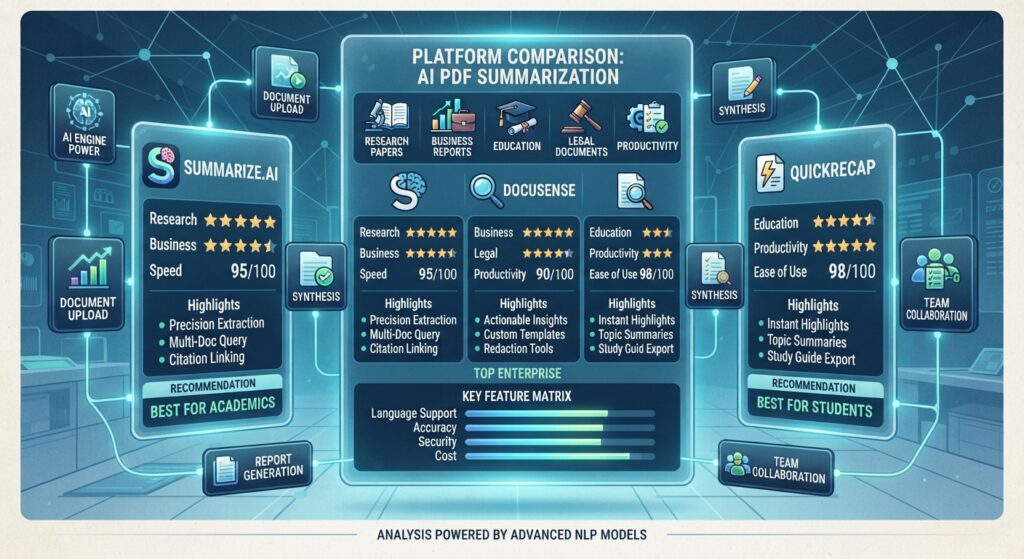
The best AI PDF summarizer depends on your workflow and the type of documents you analyze most often.
Choose ChatGPT if…
- You need an all-purpose AI assistant.
- You frequently summarize different types of PDFs.
- You want conversational document analysis.
Choose NotebookLM if…
- You regularly work with research papers.
- You want AI answers grounded in your uploaded sources.
- You need citation-aware document analysis.
Choose Claude if…
- You analyze very large reports or technical documents.
- You want excellent long-context reasoning.
Choose Gemini if…
- You already use Google Workspace.
- You collaborate through Google Drive and Docs.
Choose SciSpace if…
- You work with scientific literature.
- You regularly conduct literature reviews.
Choose Adobe Acrobat AI Assistant if…
- You work primarily with professional PDF workflows.
- Your organization already uses Adobe Acrobat.
Choose PDFgear AI if…
- You want a capable free AI PDF solution.
- You need everyday PDF editing and summarization.
Frequently Asked Questions
What is an AI PDF summarizer?
An AI PDF summarizer uses artificial intelligence to analyze PDF documents, identify important information, generate concise summaries, answer questions, and help users understand complex documents more efficiently.
Which AI PDF summarizer is best for research?
NotebookLM and SciSpace are among the strongest choices for academic research because they focus on source-based answers, scientific papers, and citation support.
Can ChatGPT summarize PDF files?
Yes. ChatGPT can summarize uploaded PDF documents, explain complex concepts, answer questions about the content, and generate structured summaries depending on the available features in your plan.
Are AI PDF summarizers free?
Many platforms offer free versions with basic functionality. Advanced AI capabilities, larger file limits, and premium collaboration features are typically included in paid plans.
Are my uploaded PDF files secure?
Most leading AI platforms use encrypted connections and publish security policies describing how uploaded files are processed. Users handling confidential information should always review each provider’s privacy documentation before uploading sensitive documents.
Final Thoughts
AI PDF summarizers have transformed the way people read and understand digital documents.
Instead of manually reviewing hundreds of pages, users can now generate intelligent summaries, ask detailed questions, compare documents, and extract valuable insights within minutes.
Whether you’re a student reviewing research papers, a lawyer analyzing contracts, a business professional reading reports, or a researcher conducting literature reviews, the right AI PDF summarizer can significantly improve productivity.
As AI continues to evolve throughout 2026, document analysis tools will become even more accurate, faster, and better integrated into everyday workflows.
Official Sources
- OpenAI – ChatGPT
https://chatgpt.com/ - Google NotebookLM
https://notebooklm.google/ - Anthropic Claude
https://claude.ai/ - Google Gemini
https://gemini.google.com/ - Humata AI
https://www.humata.ai/ - SciSpace
https://typeset.io/ - Adobe Acrobat AI Assistant
https://www.adobe.com/acrobat/ai-assistant.html - UPDF AI
https://updf.com/ - PDFgear
https://www.pdfgear.com/ - Smallpdf AI
https://smallpdf.com/
Internal Link Opportunities
Best AI Research Tools in 2026
Best AI Note Taking Apps in 2026
Best AI Productivity Tools in 2026
Best AI Meeting Assistants in 2026
Best AI Email Assistants in 2026
What Is AI Workflow Automation? (2026)


