


Introduction
Twelve months ago, an AI clicking through a calculator app was a research demo people marveled at. In 2026, computer use is a production category: Claude controls entire desktops, OpenAI’s Operator navigates the web, and a wave of open-source tools puts browser automation within reach of any developer with an API key. This guide explains what computer use AI actually is, how it works under the hood, who the major players are, and when it’s the right tool for the job — and when it isn’t.
Table of Contents
- What Is Computer Use AI?
- How Computer Use Agents Actually Work
- The Major Players in 2026
- Best Fit vs. Poor Fit: When to Use Computer Use AI
- The Real Risks: Security and Reliability
- Computer Use vs. Traditional Automation vs. MCP
- Choosing the Right Tool: A Practical Framework
- FAQ
1. What Is Computer Use AI?
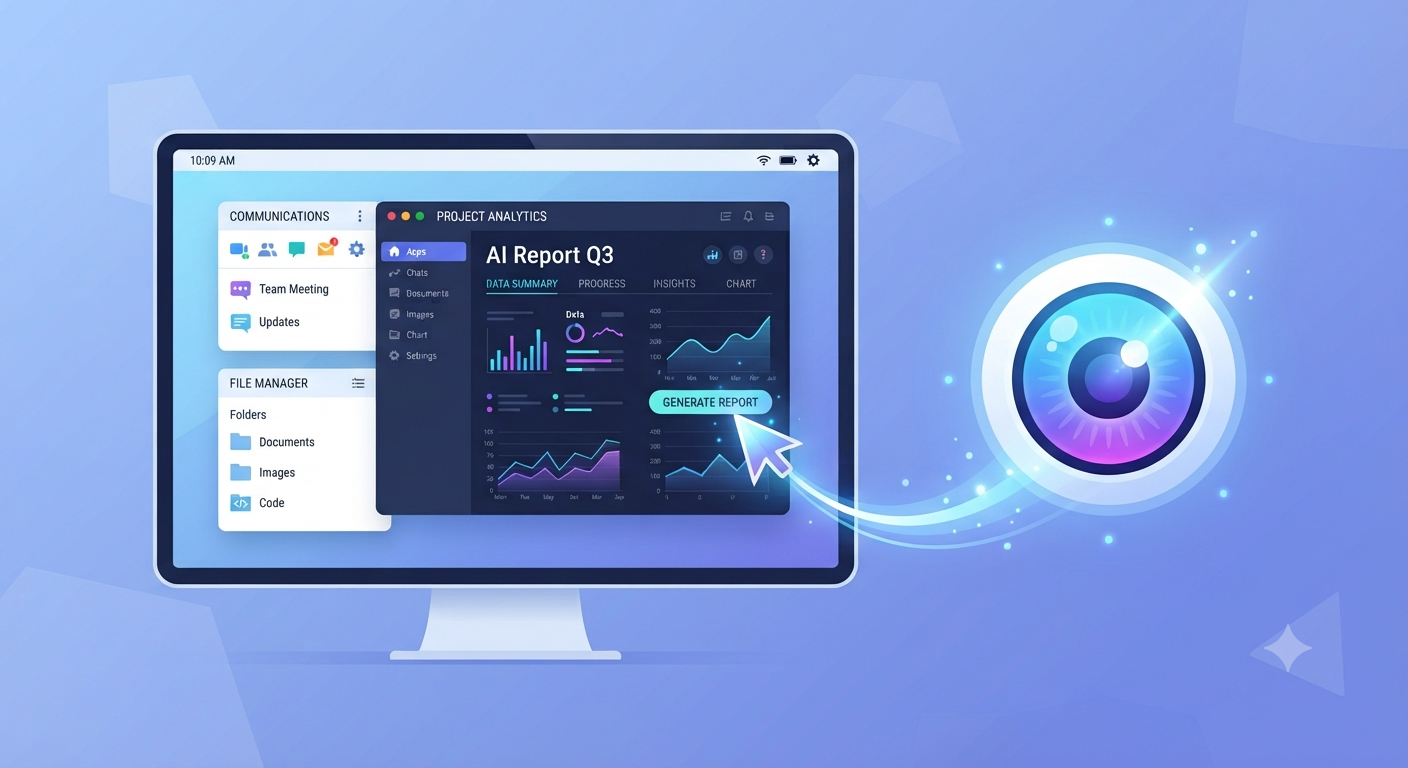
Computer use AI (also called a Computer Use Agent, or CUA) is an AI system that perceives and interacts with a computer interface the way a human would — by looking at the screen and controlling the mouse and keyboard — rather than only producing text. Where a chatbot answers a question, a computer use agent opens the application, fills in the form, and reports back with the result.
2. How Computer Use Agents Actually Work
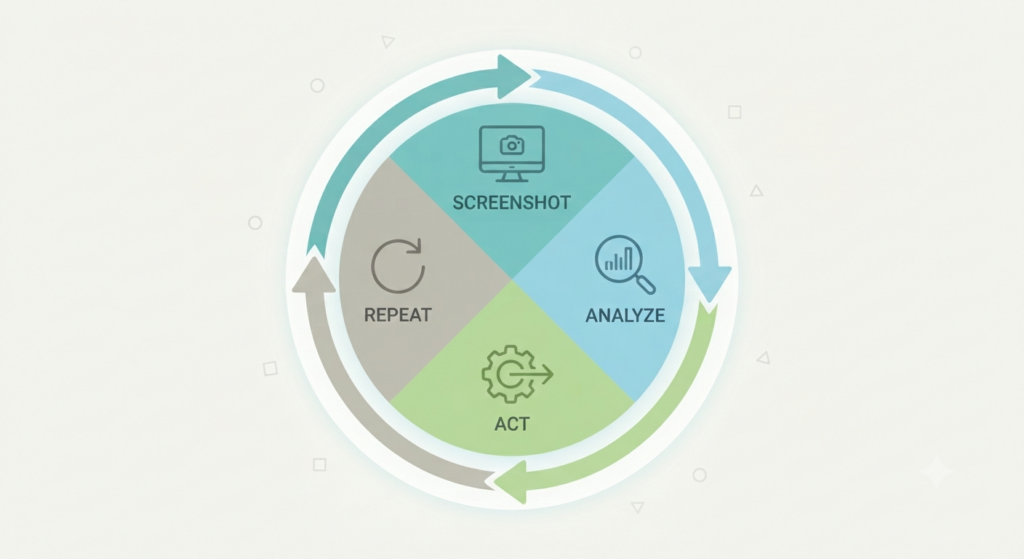
Most computer use agents run on a loop: the agent takes a screenshot of the current screen, a vision-capable model interprets what’s on it, the underlying model decides the next action (click, type, scroll), that action executes, and the loop repeats. This screenshot-analyze-act cycle is what lets these agents adapt when a page layout changes or a button moves, instead of breaking the way older automation scripts built on fixed selectors would.
3. The Major Players in 2026
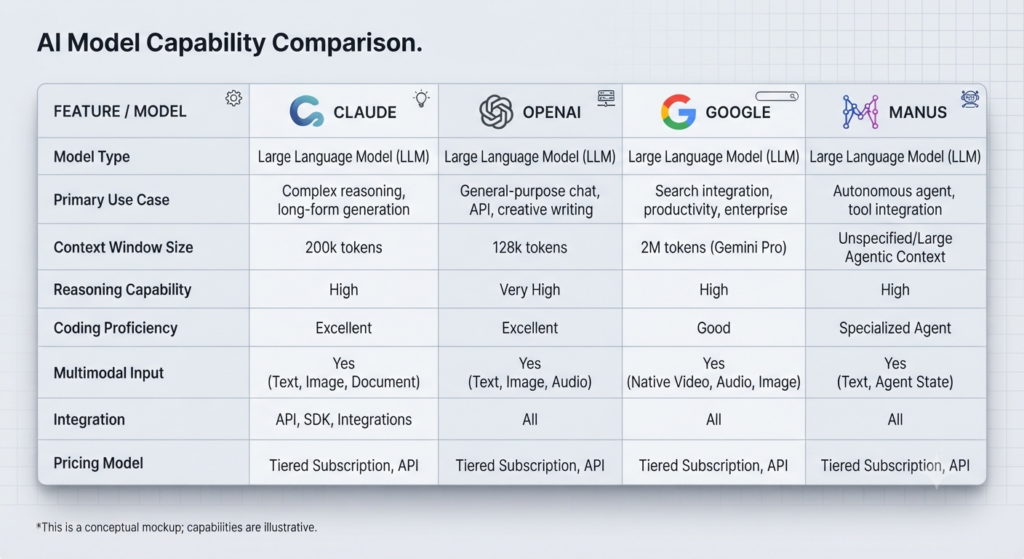
Claude Computer Use (Anthropic). Launched in research preview in March 2026 as part of Claude Cowork and Claude Code, and available for enterprise deployment through AWS Bedrock, Google Cloud Vertex AI, and Microsoft Foundry. Its defining trait is portability: it exposes a screenshot-plus-mouse-and-keyboard tool that isn’t tied to a specific operating system, so it works across VMs, containers, and remote desktops. The tradeoff is setup: standing up a production stack means building or adopting a harness and owning the sandboxing and approval logic yourself.
OpenAI Operator / Codex Background Computer Use. OpenAI’s computer use product started as a sandboxed, web-focused agent with a “takeover mode” that hands control back to a human for sensitive steps like entering a password. In April 2026, OpenAI extended this into Codex Background Computer Use, giving Codex full macOS desktop control through background sessions that run in parallel with a developer’s primary workstation.
Google Project Mariner. Google’s entry, integrated with Chrome and focused on browser-native tasks rather than full-desktop control. It’s the strongest option specifically for browser-anchored work where understanding the page’s underlying structure (not just its pixels) matters.
Manus Desktop. An independent product launched in March 2026, built specifically for long-running, multi-step autonomous tasks rather than quick one-off actions.
Open-source browser automation. Stagehand (from Browserbase) and the browser-use library have matured into production-grade tools for teams that want browser-level computer use without adopting a full vendor platform, often paired with Browser MCP servers for structured integration.
4. Best Fit vs. Poor Fit: When to Use Computer Use AI
Good fit: repetitive browser tasks, form filling, file organization, and multi-step data collection where the interface is fairly stable and the risk of a wrong click is low.
Poor fit: tasks requiring real-time human judgment, anything touching sensitive data or credentials, CAPTCHA-heavy flows, and precision visual work where a misclick has real consequences. This is exactly why most production tools build in a takeover mode or human-approval step for sensitive actions rather than running fully unsupervised.
5. The Real Risks: Security and Reliability

Computer use agents introduce a genuinely new attack surface. Researchers have demonstrated prompt-injection and cross-site request forgery vulnerabilities in agentic browsers, and at least one major lab’s own head of safety preparedness has publicly described prompt injection as a structural risk to manage rather than a bug that can be fully patched. This is a big part of why memory and autonomous action tend to be opt-in, and why adversarial testing — deliberately misleading pages with decoy buttons or ambiguous instructions — has become a standard part of evaluating these agents before production use.
6. Computer Use vs. Traditional Automation vs. MCP
It’s worth being precise about what computer use is not. Traditional automation (think Selenium-style scripts) relies on fixed selectors and breaks when a page’s underlying code changes, even if it looks identical to a human. Computer use agents instead perceive the screen visually and adapt to layout changes the way a person would. MCP (Model Context Protocol), by contrast, isn’t about controlling a screen at all — it’s a standard for connecting an AI model directly to external tools and data sources through structured APIs, skipping the visual interface entirely where a clean integration already exists. The two are complementary rather than competing: a well-designed agent often uses MCP where a structured integration exists and falls back to computer use where it doesn’t.
7. Choosing the Right Tool: A Practical Framework
- Need full-desktop control, not just a browser? Claude Computer Use is the strongest all-rounder given its portability across VMs and remote desktops.
- Need sandboxed, web-only tasks with a human-approval step for sensitive actions? OpenAI Operator’s takeover mode is built specifically for this.
- Working mainly inside Chrome and need DOM-level page understanding? Google Project Mariner is the more purpose-built choice.
- Building production browser automation you’ll maintain long-term? Stagehand or browser-use, often paired with Browser MCP, gives more control than a closed vendor platform.
- Running long, multi-step autonomous jobs rather than quick actions? Manus Desktop is built specifically for that use case.
FAQ
Is computer use AI the same as an AI agent? Computer use is one specific capability an AI agent can have — the ability to see and control a screen — not a synonym for “agent” in general. An agent might use computer use for screen-based tasks and a different tool (like an API call) for others.
Is computer use AI safe to use with sensitive accounts? Treat it with real caution. Security researchers have found genuine vulnerabilities in agentic browsers, and prompt injection is widely regarded in the field as a structural risk rather than something fully solvable today. Sensitive actions like entering passwords are usually better left to a human-approval step, which most serious tools now build in.
Do I need computer use AI if I already use MCP? Not necessarily instead of — often alongside. MCP works well where a clean, structured integration with a tool or data source already exists. Computer use fills the gap where no such integration exists and an agent has to interact with the interface the way a human would.
What’s the difference between Claude Computer Use and OpenAI Operator? Claude Computer Use controls an entire desktop and is built to be portable across different environments (VMs, containers, remote desktops). OpenAI’s Operator/Codex Background Computer Use started as a more sandboxed, web-focused product with a built-in handoff to a human for sensitive steps, later extended to full macOS desktop control through Codex.
Conclusion
Computer use AI turned a research curiosity into a production category in under two years. The right choice isn’t about which agent is “best” in the abstract — it’s about whether your task needs full-desktop control or just a browser, how much you can tolerate a wrong click, and whether a structured integration (MCP) already exists before you reach for something that has to see and click its way through an interface.
Related Vynula Guides
Official Source Package
- Anthropic (Claude Computer Use) — https://www.anthropic.com/
- OpenAI (Operator / Codex) — https://openai.com/
- Google (Project Mariner) — https://deepmind.google/
- Browserbase (Stagehand) — https://www.browserbase.com/