




Muse Gadgets is Meta’s new open-source hardware project for connecting its Muse personal AI agent to physical devices. Announced on October 2, 2026, the project gives developers ESP32 firmware and a Linux SDK so they can build their own Muse-powered displays, controls, sensors and smart-home devices using off-the-shelf hardware such as ESP32 boards and Raspberry Pi computers.
The launch is more important than a typical maker project because it extends Muse beyond phones, browsers and desktop software. Meta is effectively opening a hardware layer around its personal AI agent, letting developers decide what physical form Muse should take and what devices it should be able to control.
Meta is also shipping its own example: Muse Home Link, a small USB-powered device that connects Muse to a home Wi-Fi network and lets the agent reach compatible smart-home devices or anything exposed through a local HTTP API. Meta’s official Home Link page says community-built skills can be used for tasks such as turning on lights, controlling a TV, sending a document to a printer and more.
Quick take: Muse Gadgets includes open-source ESP32 and Linux device SDKs, while Home Link is Meta’s reference smart-home bridge. TechCrunch and The Verge report that Meta made 5,000 Home Link units and is offering them free to active Muse subscribers in the United States while supplies last. Meta’s own site says the device ships in October, is limited to one per subscriber and requires an active Muse subscription.
What is Muse Gadgets?
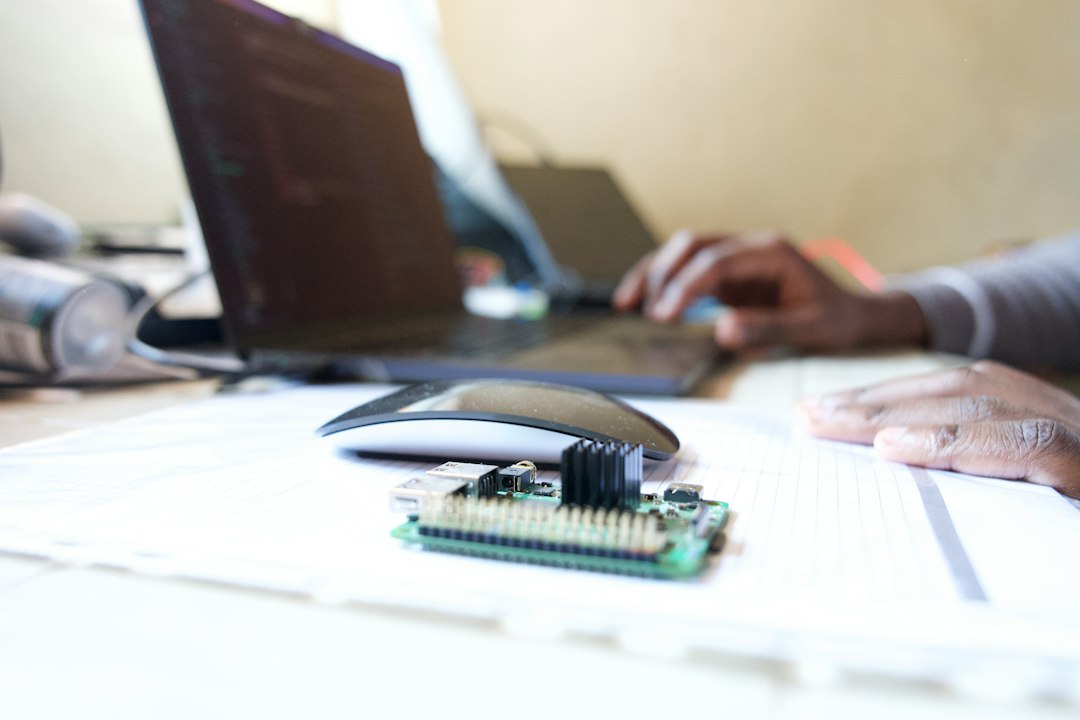
Muse Gadgets is an open-source project for building hardware that works with Meta’s Muse AI agent. Meta’s official GitHub repository says developers can program an off-the-shelf ESP32 board or configure a Raspberry Pi or other Linux machine, then connect Muse to displays, buttons, sensors, actuators and other components.
The project currently provides two main development paths:
- ESP32 Device SDK: for microcontroller-based gadgets with screens, audio, buttons and sensors.
- Linux Device SDK: for Raspberry Pi systems or other Linux computers that can run richer commands and integrations.
Meta has released the project under the Apache License 2.0, with some third-party files retaining their original licenses. Each gadget needs an SDK token before it can be paired, and developer-built devices connect through the Muse mobile app after Developer Mode is enabled.
It is important to be precise about what Meta has open-sourced. The company has opened the gadget SDKs and firmware, not the entire Muse agent, its models or its Secure VM infrastructure.
What can developers build with Muse Gadgets?
Meta’s repository is intentionally broad about possible hardware. Suggested examples include a color E Ink display for reminders, a small touchscreen interface, a TV-connected device, a Raspberry Pi controller or a custom sensor-and-actuator setup.
Because the ESP32 SDK can connect screens, audio hardware and sensors, a developer could build a dedicated Muse status display, voice interface or physical control panel. The Linux SDK can go further by turning a Raspberry Pi or spare Linux box into a bridge between Muse and local software.
Meta even suggests using the Linux SDK for system-administration tasks or a Home Assistant setup. That does not mean every possible use is officially supported or safe; the repository repeatedly frames Muse Gadgets as an experimental project for hackers and tinkerers.
This makes Muse Gadgets different from a conventional smart speaker platform. Meta is not presenting one fixed device architecture. It is giving developers a connection layer and inviting them to decide what the hardware should look like.
What is Meta Muse Home Link?
Meta Muse Home Link is Meta’s own small hardware example built on the same broader Muse Gadgets concept. It plugs into USB power, joins the home network and gives Muse a way to communicate with compatible devices on that network.
Meta’s official specification lists:
| Component | Muse Home Link specification |
|---|---|
| Chipset | Espressif ESP32-C5, 32-bit RISC-V at 240 MHz |
| Memory | 8 MB PSRAM |
| Storage | 8 MB flash |
| Wireless | Wi-Fi 6 on 2.4 GHz and 5 GHz |
| Power / connector | USB-C and USB-A |
| Setup | Bluetooth LE pairing through the Muse app |
| Size | 35 × 42 × 10 mm |
Once paired, Home Link stays on the local network so Muse can access compatible devices. It does not need to contain the full Muse model or run the agent locally. Instead, it acts as a bridge between Muse and devices inside the home network.
How Muse Home Link works
Meta describes a four-step setup:
- Plug Home Link into a USB-C or USB-A power source near the router.
- Pair it with the Muse app over Bluetooth LE.
- Select the Wi-Fi network Home Link should join.
- Add community skills that teach Muse how to interact with compatible devices.
The local-network architecture is important. Muse can reach devices that expose compatible interfaces without requiring each manufacturer to build a dedicated cloud integration first.
Meta says Home Link can also communicate with anything a developer builds that exposes a local HTTP API. That could include custom lights, displays, printers, sensors or automation systems.
What smart-home devices can Muse control?
Meta’s Home Link page points to community integrations for products and ecosystems including Philips Hue, Sonos, Apple TV, Google Nest speakers and Samsung TVs.
These integrations are community-built rather than guaranteed first-party Meta integrations. Meta explicitly warns that community skills can change or break and should not be relied on for safety-critical functions such as home security, emergencies or medical use.
That warning matters because a conversational AI interface can make device control feel more reliable than it actually is. A smart-home agent may understand a natural-language command correctly but still encounter a broken integration, unavailable device, network failure or outdated skill.
For that reason, Muse Home Link should currently be viewed as an experimental AI-to-device bridge, not a replacement for safety-critical home automation infrastructure.
Home Link firmware is not fully open like the DIY SDK
There is an important distinction between Muse Gadgets and Meta’s own Home Link hardware.
Meta says Home Link’s firmware is based on the open-source ESP32 Device SDK, which means developers can inspect the underlying approach and build their own compatible hardware. However, the official Muse Home Link device itself runs official firmware and cannot be reflashed.
So Meta is taking a hybrid approach: the developer layer is open, while its consumer reference device remains controlled.
This may help Meta preserve a more predictable security model for Home Link while still allowing enthusiasts to experiment with custom implementations on their own boards.
Who can get a Muse Home Link?
Meta’s official page says Muse Home Link is free for active Muse subscribers in the United States, limited to one unit per subscriber and distributed first come, first served. The company says shipping begins in October.
TechCrunch reports that Meta produced 5,000 units. The Verge likewise reports a 5,000-unit run and says interested users can join a waitlist.
This looks more like an early-access experiment than a full consumer electronics launch. Meta has not announced a retail price, mass-market sales date or international availability for Home Link.
How Muse Gadgets connects to the broader Muse strategy
Muse itself launched in September as Meta’s personal AI agent. Meta says Muse runs on a dedicated Muse Secure VM with its own browser and protected storage, and can continue working after a user closes the app.
The agent can open websites, fill forms, shop, plan projects and interact with connected services. Meta also says Muse can remember relevant personal context and proactively suggest actions.
Vynula recently covered the broader rise of persistent agents in OpenAI Dots. Muse and Dots differ in product design, but both reflect the same shift: AI systems are being built to maintain ongoing responsibilities instead of waiting for one isolated prompt.
Muse Gadgets adds a new layer to that trend. A persistent agent no longer has to live only in a phone or browser. Developers can now give it dedicated displays, sensors and physical controls.
Muse Gadgets vs traditional smart-home platforms
At first glance, Muse Home Link may sound similar to Alexa, Google Home or Home Assistant. But the core idea is different.
| System | Typical interaction model | Main architecture |
|---|---|---|
| Traditional smart speaker | Voice command triggers a predefined action | Central assistant plus supported device integrations |
| Home Assistant | User-configured rules, dashboards and automations | Local-first automation platform with many integrations |
| Muse Gadgets | Persistent AI agent reasons about goals and can interact with custom hardware | Cloud agent plus open device SDKs and local hardware bridges |
The difference is not that Muse can switch a light on. Smart-home platforms have done that for years. The difference is that Muse is designed as a broader personal agent that can combine device control with planning, memory, web activity and other ongoing tasks.
For example, instead of receiving only “turn the lights on at 7 PM,” an agent could potentially reason over a larger goal such as preparing a room for an event, then coordinate information and connected devices as part of that project. Whether Muse can do such workflows reliably in real homes remains a separate question.
Muse AI hardware: why ESP32 support matters
ESP32 boards are widely used in hobbyist electronics because they are inexpensive, compact and include wireless connectivity. Meta’s decision to support ESP32 means developers do not need custom Meta hardware to experiment with Muse.
An ESP32-based Muse gadget could include:
- a small status screen;
- buttons or rotary controls;
- microphones or speakers;
- temperature, motion or environmental sensors;
- LED indicators;
- relays or other actuators.
That dramatically lowers the cost of experimentation compared with designing a new consumer device from scratch.
It also creates a potential ecosystem effect: if developers build useful gadgets and publish their designs, Meta can learn which physical forms people actually want before investing heavily in mass-market hardware.
Why Raspberry Pi and Linux support matters
The Linux SDK gives developers more computing power and flexibility than an ESP32 microcontroller. A Raspberry Pi can run local services, interface with existing automation platforms and translate between Muse and older devices.
Meta specifically mentions Home Assistant and system-administration use as possible directions.
That makes the Linux SDK especially interesting for advanced users because it can bridge Muse into existing local infrastructure rather than forcing every device to support Muse directly.
The tradeoff is security. A Linux machine on a home network may have access to files, services and other devices. Developers need to treat a Muse-connected Linux box as a privileged integration point rather than a harmless display.
Security becomes more complicated when an AI agent reaches physical devices
The move from software to hardware increases the consequences of mistakes.
If an AI assistant produces a bad summary, the user can ignore it. If an agent is connected to lighting, entertainment systems, printers, doors, sensors or custom actuators, an incorrect decision can create a physical effect.
Meta’s own warning not to use community Home Link skills for security, emergencies or medical tasks reflects that difference.
This also connects directly with Vynula’s recent report on Apple tightening macOS Full Disk Access. In that case, the issue is how much local data an agent should be able to read. With Muse Gadgets, the question becomes broader: what should an agent be allowed to sense or control in the physical environment?
Both problems are ultimately about authority rather than raw intelligence.
The permissions problem moves from files to devices
Hardware-connected agents need a permission model that is more granular than “Muse can use my home.”
A practical system may need to distinguish between capabilities such as:
- read a temperature sensor;
- change a thermostat;
- turn on entertainment devices;
- print a document;
- access a camera or microphone;
- unlock a door;
- run an arbitrary local HTTP command.
Those actions do not carry equal risk.
Muse Home Link’s community-skill approach creates flexibility, but it also shifts responsibility toward developers and users. A poorly designed skill could have broader authority than the user expects.
For a general background on how autonomous systems should be constrained, Vynula’s AI agents guide and Computer Use AI guide explain why tool access and permissions matter as much as model quality.
Is Muse running locally on Home Link?
No. Nothing in Meta’s official Home Link documentation suggests that the full Muse agent or its main models run on the Home Link hardware.
The device uses an ESP32-C5 with 8 MB of PSRAM and 8 MB of flash storage, which is appropriate for connectivity and device-control logic rather than running a frontier AI model.
Muse itself runs through Meta’s broader agent infrastructure, including its Secure VM architecture. Home Link functions as a local bridge that gives Muse a route to compatible network devices.
This architecture is similar to the distinction discussed in Vynula’s local vs cloud AI agents comparison: a device can operate locally while still relying on cloud intelligence for reasoning.
What is open source — and what is not?
There is likely to be confusion around the phrase “open-source Muse hardware.” The correct breakdown is:
| Component | Open source? |
|---|---|
| ESP32 Device SDK | Yes, under the project’s published license terms |
| Linux Device SDK | Yes |
| Gadget firmware in the repository | Yes, subject to listed third-party licenses |
| Muse AI models | No evidence Meta has open-sourced them through this project |
| Muse Secure VM infrastructure | No |
| Official Home Link firmware on the shipped device | Based on the open SDK, but the device cannot be reflashed by the user |
This distinction matters for both developers and headlines. Muse Gadgets opens the hardware interface layer, not the complete agent stack.
What Meta gains from an open hardware ecosystem
Opening the gadget layer gives Meta several strategic advantages.
First, it lets thousands of developers experiment with physical interfaces without Meta having to predict which form factor will win. A useful idea might emerge from a $20 board rather than a multimillion-dollar hardware program.
Second, custom hardware can make Muse more difficult to replace. If users connect an agent to displays, sensors, home systems and personal workflows, the agent becomes part of their environment rather than another app they occasionally open.
Third, an open developer ecosystem can reveal where demand exists. If developers consistently build home-control hubs, wearable displays or workshop assistants, Meta gets a strong signal about where to invest next.
Meta is already putting Muse into more physical form factors
Muse Gadgets is not Meta’s only hardware experiment.
Meta has already announced that Muse is coming to its AI glasses, and the company has shown the Muse Charm, a small dedicated device intended to provide another persistent interface to the agent.
The direction is clear even if individual products change: Meta does not want Muse to remain confined to one app.
The company appears to be building a layered ecosystem in which the same personal agent can be available through a phone, web interface, desktop, glasses, dedicated hardware and user-built devices.
What Muse Gadgets does not prove yet
The launch is technically interesting, but several major questions remain unanswered.
- Developer adoption: will enough builders create useful gadgets and community skills?
- Reliability: can Muse control local devices consistently across changing networks and third-party integrations?
- Security: how well can the platform isolate malicious or poorly designed community skills?
- Permissions: will users understand which devices and actions each skill can access?
- Latency: will cloud-agent reasoning feel responsive enough for physical controls?
- International availability: Home Link is currently limited to U.S. Muse subscribers.
- Commercial future: Meta has not announced whether Home Link becomes a retail product.
Those questions will determine whether Muse Gadgets becomes a meaningful hardware ecosystem or remains a popular developer experiment.
Vynula analysis: the next AI platform war may be about physical presence
The most interesting part of Muse Gadgets is not the ESP32 board or the Home Link specifications. It is the platform strategy behind them.
AI companies spent the first phase of the generative-AI race competing inside text boxes. The next phase moved into browsers, coding tools and persistent agents. Muse Gadgets points toward another step: giving the agent a physical presence in the user’s environment.
That presence does not necessarily require Meta to manufacture every device itself.
If the software agent is the persistent identity, then hardware can become interchangeable. A kitchen display, desk controller, TV dongle, wearable or Raspberry Pi can all become another interface to the same Muse.
This is potentially more powerful than a single-purpose AI gadget because the value is not locked to one piece of hardware. The user’s relationship, memory and ongoing tasks live with the agent, while different devices simply expose that agent in different places.
That also changes the competitive question. Amazon, Google and Apple built smart-home ecosystems around devices and operating systems. Meta is attempting something closer to an agent-first hardware ecosystem: establish the personal agent, then let hardware become an extension of it.
There is a major risk, however. The more physical authority the agent receives, the higher the cost of mistakes. A personal AI that can read your calendar is one thing. An agent that can also change your environment, interact with sensors and trigger local devices needs a much stronger permission and audit model.
In Vynula’s view, Muse Gadgets is therefore less about DIY electronics than it appears. It is an early test of whether a persistent AI agent can become a platform that developers build physical interfaces around.
If that model works, the future of AI hardware may not be one universally successful device. It may be a personal agent that follows the user across many devices — some made by Meta, some made by third parties and some built at home.
What to watch next
- First community projects: which Muse Gadget designs developers actually build and share.
- Home Link shipments: how the first 5,000-unit reported run performs in real homes.
- Skill security: whether Meta introduces stronger permissions, reviews or sandboxing for community integrations.
- Home Assistant integration: whether Muse becomes a serious natural-language layer over existing local automation.
- Muse Charm: how Meta’s dedicated consumer hardware compares with the open DIY approach.
- Smart glasses: whether the same agent context moves smoothly between glasses, phones and home devices.
- International rollout: whether Home Link or successor hardware expands beyond the United States.
- Agent interoperability: whether other AI platforms adopt similar open hardware SDKs.
Frequently asked questions
What is Muse Gadgets?
Muse Gadgets is Meta’s open-source hardware project for connecting the Muse AI agent to custom devices. It includes ESP32 firmware and an SDK plus a Linux device SDK for Raspberry Pi and other Linux systems.
What is Muse Home Link?
Muse Home Link is Meta’s small USB-powered reference device that connects Muse to a home Wi-Fi network so it can interact with compatible smart-home devices and local HTTP APIs through skills.
Is Muse Home Link free?
Meta’s official site says Home Link is free for active Muse subscribers in the United States, limited to one per subscriber and available first come, first served. TechCrunch and The Verge report that Meta produced 5,000 units for the initial run.
Can I build my own Muse hardware?
Yes. Meta provides an ESP32 Device SDK and Linux Device SDK. Developers can use compatible boards or a Raspberry Pi and connect displays, buttons, sensors, audio hardware and other components.
Is Muse itself open source?
No. Muse Gadgets opens the hardware SDKs and firmware used to connect devices to Muse. The project does not open-source Meta’s underlying Muse models or Secure VM infrastructure.
Can Muse Home Link control lights and TVs?
Yes, when compatible community skills and device integrations are available. Meta lists examples such as Philips Hue, Sonos, Apple TV, Google Nest speakers and Samsung TVs. Meta warns that community skills should not be used for safety-critical applications.
Does Muse run directly on Home Link?
No. Home Link is a low-power network bridge built around an ESP32-C5. The full Muse agent runs through Meta’s broader cloud agent infrastructure.
Primary and independent sources
- Meta / GitHub — Muse Gadgets SDK and firmware
- Meta — Muse Home Link official product and setup page
- Meta — Introducing Muse
- The Verge — Meta open sources code to let you make Muse AI gadgets
- TechCrunch — Meta wants your next gadget to be Muse-infused
Reporting note: Technical SDK and Home Link specifications are based on Meta’s official GitHub repository and Muse Gadgets documentation. The reported 5,000-unit Home Link production run comes from independent reporting by TechCrunch and The Verge. Vynula Analysis represents editorial interpretation. Images are illustrative Unsplash photography, not official Meta product images.


